
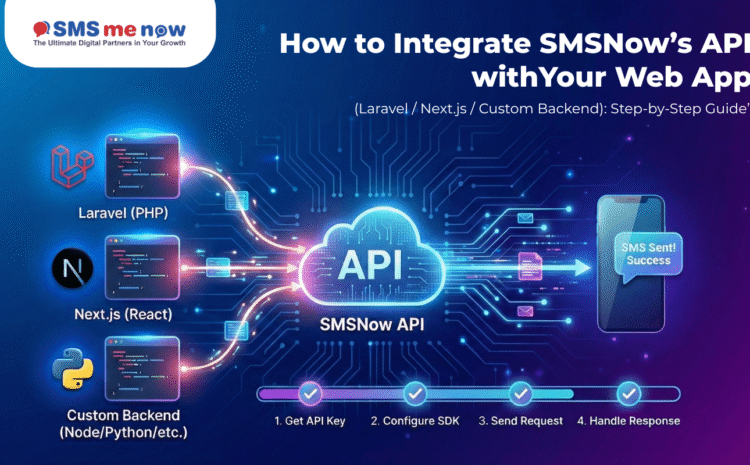
How to Integrate SMSNow’s API with Your Web App (Laravel / Next.js / Custom Backend): Step-by-Step Guide
In today’s fast-paced digital world, reaching your customers instantly is a necessity. Whether it’s a one-time password (OTP) for security, an order confirmation, or a flash sale alert, SMS is the most reliable way to ensure your message is seen.
Integrating an SMS API into your website might sound like a task for a rocket scientist, but with SMSNow, it’s a straightforward process. This guide will walk you through the integration journey in plain English, covering popular frameworks like Laravel and Next.js, as well as any Custom Backend.
What is an SMS API? (The Layman’s View)
Think of an API (Application Programming Interface) as a waiter in a restaurant. You (your web app) tell the waiter (the API) what you want to order (the SMS message and phone number). The waiter takes that order to the kitchen (the SMS Gateway), and the kitchen prepares the food and delivers it to the table (the customer’s phone).
By integrating SMSNow’s API, you are essentially hiring a professional waiter who ensures your messages get delivered fast, securely, and globally.
Step 1: Setting the Foundation
Before you touch any “pipes” in your web app, you need your tools ready from the SMSNow dashboard.
- Sign Up: Create your account on the SMSNow portal.
- Get Your API Key: This is your secret “password” that allows your app to talk to SMSNow. Keep it safe!
- Sender ID: This is the name or number that appears on the recipient’s phone (e.g., “MYSHOP” or “SMSNOW”).
- DLT Approval (India Only): If you’re messaging Indian numbers, ensure your templates are registered and approved as per government regulations.
Step 2: Integrating with Laravel (PHP)
Laravel is like a luxury SUV—it comes with everything pre-built. To add SMS, you just need to connect the “fuel line.”
- Configuration: You’ll store your API Key and Sender ID in a special file called .env. This keeps your secrets hidden from the public.
- Creating a Service: You create a small “messenger” folder in your app. This folder’s only job is to take a phone number and a message, wrap them in a digital envelope, and send them to SMSNow’s web address.
- Triggering the SMS: Whenever an event happens—like a new user signing up—you simply tell your “messenger” to send the text.
Step 3: Integrating with Next.js (React / Node.js)
Next.js is the “speedster” of modern web apps. Because it works with both the part the user sees (Frontend) and the part that handles data (Backend), the integration is very secure.
- Server-Side Logic: You create a “Route Handler” (a private back-office). You never send the SMS directly from the user’s browser, as that would expose your secret API Key.
- The Fetch Request: Your app sends a “POST” request (a digital package) to SMSNow. This package contains the destination number and your message content.
- Response Handling: SMSNow sends back a “Thumbs Up” (Success) or “Error” code so your app knows if the message went through.
Step 4: Integrating with a Custom Backend
If you’re using a custom-built system (like Python, Go, or Ruby), the process follows a universal standard called REST.
- The Endpoint: You point your app to a specific SMSNow URL.
- The Payload: You format your data as JSON (a simple list of keys and values, like phone: 12345 and message: Hello).
- The Handshake: Your app sends this data, SMSNow verifies your API Key, and then dispatches the message to the mobile carrier.
Best Practices for a Smooth Integration
To ensure your system is professional and cost-effective, follow these rules:
- Standardize Phone Numbers: Always use the international format (e.g., +91 for India).
- Use Queues: Don’t make your website wait for the SMS to send. Send the request to a “waiting line” in the background so your site remains lightning-fast.
- Environment Variables: Never put your API Key directly in your main files. Use environment files so you don’t accidentally leak them to the public.
- Handle Errors Gracefully: If the API is busy or a number is invalid, show a friendly message to the user rather than crashing the site.
Why Choose SMSNow for Your Integration?
Integrating is one thing; staying online is another. SMSNow provides the “industrial-strength” backend your app deserves:
- 99.9% Uptime: We ensure your service is always available.
- Real-Time Tracking: See exactly when your message was delivered to the handset.
- Global Reach: One integration to reach customers in over 190 countries.
- Developer Support: We speak your language. Our team is ready to help you troubleshoot your setup.
Ready to give your web app a voice?
Frequently Asked Questions (FAQ)
Q1: Do I need to be a senior developer to integrate this?
A: No! If you know how to handle basic web requests, you can integrate SMSNow in less than an hour.
Q2: What is a Webhook? A:
A Webhook is a “call back.” If you send a message, SMSNow can call your app back a few seconds later to say, “Hey, that message was just delivered!”
Q3: Can I send OTPs with this API?
A: Absolutely. Our API is optimized for speed, making it perfect for time-sensitive codes.
Q4: How do I handle international numbers?
A: Simply include the country code (like +1 for the USA or +44 for the UK) at the start of the phone number.
Q5: Is there a limit to how many messages I can send?
A: Our API is built to scale. Whether you send 10 messages or 10 million, our infrastructure handles it seamlessly.
Q6: Does SMSNow support local languages?
A: Yes, we support Unicode, allowing you to send messages in Hindi, Arabic, Chinese, and many more languages.
Q7: How do I keep my API Key secure?
A: Always use server-side code to make requests. Never include your API Key in JavaScript that runs in a user’s browser.
Q8: What happens if a message fails to deliver?
A: You will receive an error code explaining why (e.g., invalid number or blocked by the carrier). You can then decide to retry or notify the user.
Disclaimer
The integration steps provided are general guidelines for modern web frameworks. Every application environment is unique; ensure you follow your specific framework’s security protocols and data protection laws (like GDPR or DPDP) when handling user phone numbers.
Conclusion
Connecting your web app to the world via SMS is a massive milestone for any business. By following these steps for Laravel, Next.js, or your custom setup, you unlock a world of automation and instant communication. Don’t let your app stay silent—start your integration with SMSNow today!