
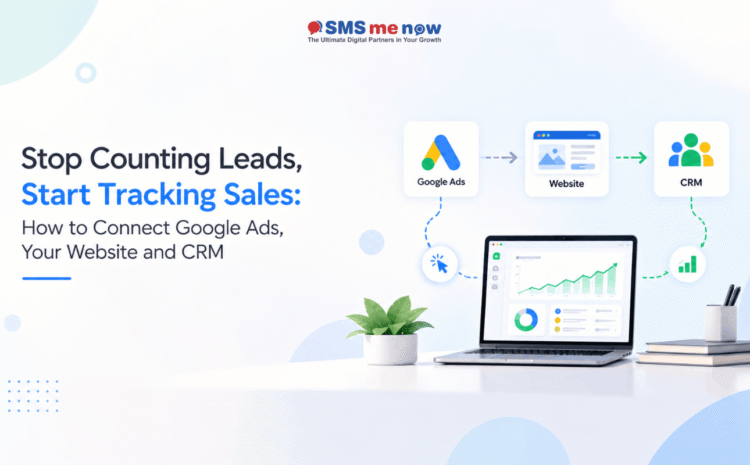
Stop Counting Leads, Start Tracking Sales: How to Connect Google Ads, Your Website and CRM
Generating leads is not the same thing as generating sales.
The Google Ad campaign might produce 100 leads at a favorable cost per lead, however if very few end up being actual customers, the number of leads will give a false impression of performance.
In the case of businesses whose clients enquire online, and complete their purchase offline through a salesperson, telephone conversation, showroom visit, or consulting, the challenge lies in establishing:
Google Ad campaign → Website → Lead → CRM → Qualified lead → Sale
Here is when the use of Google Ads Offline Conversion Tracking and CRM integration is necessary.
Rather than trying to optimize campaigns for the purpose of form fills or phone calls, the businesses can return deeper sales data back to Google Ads, which enables the marketing team to know which campaigns, keywords and ads actually generate the business and not just the leads.
According to Google, Enhanced Conversions for Leads is suitable for businesses that need to tie their online advertising to their offline sales results, as it uses first-party data, like email addresses and phone numbers along with identifiers like GCLID.
Why Lead Count Alone May be Deceptive
Here are two marketing campaigns:
Campaign A
- 100 leads
- ₹500 per lead cost
- 5 sales
Campaign B
- 60 leads
- ₹700 per lead cost
- 15 sales
In both of these cases, when the company considers cost per lead, Campaign A seems to be better.
However, Campaign B generates three times the number of customers compared to the first campaign.
That is why companies need to stop focusing on metrics such as:
- Form fills
- Calls
- WhatsApp click
- Cost per lead
And switch to tracking:
- Qualified leads
- Appointments
- Quotations
- Opportunities
- Sales
- RoI
- LTV
- CAC
The goal is not just leads.
The goal is valuable customers.
What is Google Ads Offline Conversion Tracking?
Google Ads Offline Conversion Tracking links an online advertising touchpoint to a subsequent conversion event that occurs off-site.
Example:
Google Ad Click ➡️ Website Form ➡️ CRM Lead ➡️ Sales Call ➡️ Customer Purchase
Once the customer gets qualified or purchases something, their conversion event can be recorded within Google Ads.
The offline event can then be linked to the earlier advertising touchpoint once enough matchable information is available.
It helps companies to gain clarity about the advertising events that are creating the revenue.
How Google Ads, Your Website and CRM Should Interact With Each Other?
An effective combination of tools would consist of three core layers.
1 – Google Ads Brings the Visitor
A consumer finds the product or service on search and clicks the advertisement.
Google tags the visit with information that will assist in attributing future conversions.
One critical identifier would be the Google Click ID (GCLID).
Using auto-tagging, Google can tag the GCLID with ad-click URLs eligible for such tagging. Companies doing traditional offline conversion importing can record that information and attach it to the lead.
2. Capture the Lead via the Website
The lead goes to the website and does one of the following actions:
- Submits contact form
- Requests a quote
- Schedules consultation
- Asks for demo
- Requests callback
- Makes product inquiry
The information that needs to be captured on the website from the visitor to help with the sales process can be:
- Name
- Phone number
- Product or service
- Location
- Campaign information
- Landing page
- GCLID
- Enquiry date
Enhanced Conversions for Leads can also use the first-party data provided by the customer such as email and telephone numbers to make matching more accurate. It is recommended to continue supplying GCLIDs wherever feasible.
3. The CRM Follows Up With What Comes Next
Now that the lead is captured in the CRM, the marketing story should not stop there.
It should capture the progress of this lead from enquiry to close.
An example structure could be:
New Lead → Contacted → Qualified → Meeting → Proposal → Negotiate → Won / Lost
It may be something different depending on your business needs.
It’s the consistency at important milestones that matters.
Track Qualified Leads and Not Just Submissions of Forms
Google Ads now separates important offline conversion milestones including Qualified Lead and Converted Lead.
Qualified Lead is defined by Google as a Google generated lead that has been qualified using CRM or internal lead management system.
Converted Lead refers to a subsequent conversion point like a completed sale or a closed deal or other final conversion milestone for your business.
This creates an effective hierarchy of measurements.
For instance:
Form Submission
↓
Contact Made
↓
Qualified Lead
↓
Quote Provided
↓
Sale/Conversion
Instead of saying to Google:
“This lead completed my form.”
you can eventually give more concrete information:
“This lead converted into a customer.”
Use Enhanced Conversions for Leads
For companies trying to set up their measurement in 2026, Google advises using Enhanced Conversions for Leads rather than depending only on old offline conversion import tools.
Enhanced Conversions for Leads helps conversion tracking by adding first-party customer data collected via your site and then linking it to the CRM conversion data.
Based on the setup, the matching information may consist of:
- Email address
- Phone number
- Address details
- GCLID
Google uses privacy-friendly matching techniques like hashing for processing relevant customer information before any matching happens.
The benefits could be:
- Better attribution
- Improved linking between leads generated online and sales made offline
- Cross-device measurement
- Better conversion measurement
- More meaningful signals for ad campaigns optimization
According to Google, advertisers using first-party data along with GCLIDs for offline measurement experienced a median 10% increase in the amount of conversions measured compared with the standard offline conversion import method in their data.
Significant Google Ads Updates in 2026
Firms with legacy conversions integrations may want to re-evaluate their technical configuration.
Starting from April 2026, Google merged Enhanced Conversions for website and leads into one setting where user-provided information can be received using website tags, Data Manager and connection sources.
In addition, Google informs that starting from June 15, 2026, offline conversion and Enhanced Conversions for Leads uploads will be shifting towards Data Manager API, where uploads via Google Ads API will be prohibited except for eligible legacy implementations.
Therefore, for a business considering a new integration, Google Ads Data Manager should be taken into consideration.
What Data Should a CRM Hold?
A CRM should have sufficient data that will make it possible to track marketing actions with regard to sales results.
Important data elements include:
- ID
- Customer name
- Phone number
- Email address
- GCLID, if applicable
- Lead source
- Campaign
- Service/ Product
- Landing page
- Lead owner
- Status
- Qualification
- Average deal size
- Value of sales
- Date of conversion
- Reason for loss
Such information enables the company to answer:
Which Google Ad campaigns have sold the most?
Which keywords bring qualified prospects?
Which campaigns produce inexpensive leads and low-quality customers?
Feedback Loop: Feed Sales Data Back into Google Ads
The most crucial step is closing the loop.
The CRM must not just receive data from Google Ads.
It must also send back valuable conversion results.
The process goes like this:
Google Ads
↓
Website
↓
CRM
↓
Qualified Lead / Sale
↓
Google Ads Conversion Import
This makes it possible for Google Ads reporting to utilize more customer quality data.
Google suggests using Qualified Lead or Converted Lead conversion action for leads using Enhanced Conversions for Leads.
Avoid Optimizing Every Stage of the CRM Funnel
More actions in the conversion process will not necessarily result in more optimized results.
The Google guidance is to select a significant stage of the funnel from the leads-to-sales process on which to bid, and not to try optimizing around every conceivable event in the CRM funnel.
The conversion value guidance currently offered by Google suggests that a short conversion lag and enough conversions should be considered when choosing a stage of the process.
While for one business, it could be:
Qualified Lead
And for another:
Appointment Completed
Or even for a large volume of leads:
Closed Sale
It all comes down to sales volume and speed at which the leads travel through the funnel.
Send Conversion Values Back
All customers have different value to a business.
In case where it makes sense, send back conversion values into Google Ads.
For example:
- Qualified enquiry: ₹1,000 average value
- Appointment completed: ₹5,000 average value
- Sale completed: actual revenue
In more sophisticated systems, actual deal values can be used instead of giving the same value to all conversions.
This will help a business move from:
Cost per Lead
to:
Revenue per Campaign
and finally:
Return on Ad Spend
Align Marketing and Sales Attribution
It is important for marketing and sales teams to speak the same language.
Discuss:
What is a lead?
Is it someone who fills an enquiry form?
What is a qualified lead?
Is it someone who has right requirement, location, budget and intention?
What is a converted lead?
Is it a paying customer?
This way, all of the following should share the same definitions:
- Google Ads
- Website tracking
- CRM
- Sales reports
- Management dashboards.
Performance Metrics for Businesses
A good dashboard that connects Google Ads with CRM should comprise of:
- Advertising cost
- Site traffic leads
- Led cost
- Qualified leads
- Led cost to qualification
- Qualification ratio
- Opportunities
- Sales made
- Led-to-sales ratio
- Sales revenue
- Customer acquisition cost
- Returns on advertising spending
The most essential question will now be:
What was our advertising income?
instead of:
What leads were we getting?
Common Tracking Errors
It is best to not:
- Track only thank you pages
- Forget to track attribution
- Suffer loss of GCLID
- Fail to synchronize CRM stages
- Duplicate leads
- Conversions upload at irregular times
- Treat all leads as equal
- Optimize leads based on low cost
- Fail to log lost lead reasons
- Let sales team finish CRM status at their leisure
Google encourages frequent uploads of offline conversions to provide relevant information for report generation and optimization.
Conclusion
The good Google Ads analysis shouldn’t stop when the form gets submitted.
The whole cycle looks like:
Google Ads → Website → CRM → Qualified Lead → Sale → Revenue
And tying those pieces together lets you find out whether your campaign actually generates customers or just traffic.
Using Google Ads Offline Conversion Tracking and Enhanced Conversions for Leads and CRM, you’ll be able to shift from focusing on lead volume to focusing on lead quality, sales and revenue.
It helps make more informed choices regarding advertising budgets, keywords strategy, landing pages and sales follow-up.
If your business needs assistance in setting up Google Ads, conversion tracking and CRM sales reporting, book a free consultation through our website.
Frequently Asked Questions
1. What is Google Ads Offline Conversion Tracking?
This tool enables the measurement of conversions resulting from interactions with an online advertisement, e.g. qualified lead, signed contract or an offline purchase.
2. Why should Google Ads be integrated with a CRM?
Integration with a CRM tells us what is happening after the initial inquiry. This way, companies can separate the usual leads from qualified leads and real customers.
3. What is Enhanced Conversions for Leads?
This is the advanced method of Google to match online lead activities with the following offline conversions using first-party customer data and other attribution signals.
4. What is a GCLID?
The GCLID (Google Click ID) is the unique identifier associated with eligible Google Ads clicks that may help to match online click with a future CRM conversion.
5. What is a Qualified Lead in Google Ads?
It is a lead created by Google which was later qualified via CRM or an internal sales process in the company.
6. What is a Converted Lead?
The Converted Lead indicates a subsequent milestone in the sales process determined by the company, including completion of the sale or the closing of a deal.
7. Should businesses optimize Google Ads for form submissions?
While form submission is helpful initially, companies with adequate sales data should move to other metrics like lead qualification or even sales.
8. Are offline sales traceable to Google Ads?
Yes, provided that the company gathers enough matching and conversion data to be sent back to Google Ads.
9. Is it possible to use phone and email data for conversion matching?
Yes, because Enhanced Conversions for Leads makes use of first party customer data like emails and phone numbers to match conversions.
10. Should all CRM stages be brought to Google Ads?
Companies may track many stages for their reports, but bidding should take place on an appropriate stage of conversion with adequate conversion latency.
11. How often should offline conversions data be uploaded?
According to Google, the more frequent the uploads the better and they define the daily uploads as best practice.
12. Can Google Ads track actual revenue from CRM sales?
Yes. The conversion values can be uploaded with the conversion data itself so that a business can evaluate its ads’ performance using customer and revenue data.
13. What is the main advantage of Google Ads CRM integration?
It enables the business to stop measuring campaigns’ success only in terms of the number of leads acquired and to find out which campaigns bring in quality leads, customers and revenue.
Disclaimer
The article is designed for informational and educational purposes only. The features of Google Ads conversion tracking, Enhanced Conversions for Leads, Data Manager, API, bidding system and CRM integration can change over time. The implementation details can also depend on the website, CRM and data architecture a business uses. It is recommended to consult the up-to-date Google Ads documentation, privacy requirements and customer consent regulations before transferring the data.