
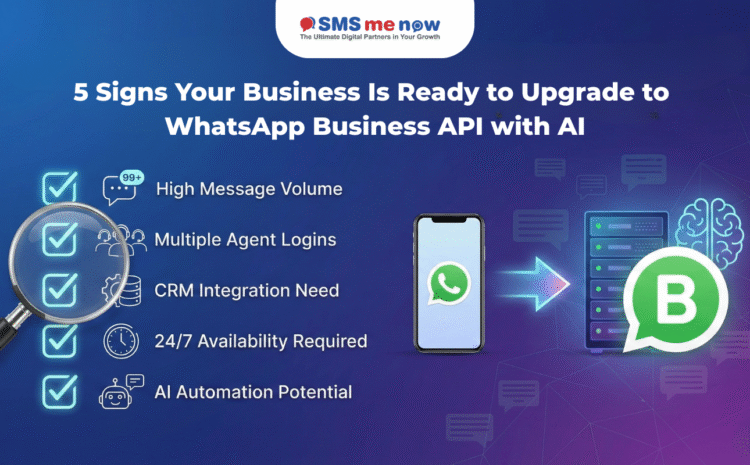
5 Signs Your Business Is Ready to Upgrade to WhatsApp Business API with AI
5 Signs Your Business Is Ready to Upgrade to WhatsApp Business API , In the fast-paced Indian digital landscape of 2026, the standard WhatsApp Business App—once a reliable ally for micro-enterprises—is increasingly becoming a “growth roadblock” for scaling SMBs. As your customer base expands, the limitations of a single-device, manual-reply system can lead to missed leads and frustrated clients.
If your business is feeling the strain of its own success, it’s likely time to move to the WhatsApp Business Platform (API). Combined with AI Agents, the API transforms your WhatsApp from a simple chat tool into a powerful, automated revenue engine.
The Comparison: App vs. API in 2026
| Feature | WhatsApp Business App | WhatsApp Business API + AI |
| Best For | Solo-preneurs & Micro-shops | Scaling SMBs & Enterprises |
| Agent Login | Max 1-4 linked devices | Unlimited Multi-Agent Support |
| Broadcast Limit | 256 contacts (manual) | Unlimited (to opted-in users) |
| Automation | Basic away/greeting messages | Advanced AI Chatbots & Workflows |
| CRM Integration | None (Manual Entry) | Full Sync with HubSpot, Zoho, etc. |
| Verification | No official checkmark | Eligible for “Green Tick” Badge |
🚩 Sign 1: Your Support Team is Playing “Musical Chairs” with One Device
The most common sign you’ve outgrown the app is logistical friction. If your team has to share a single phone or fight over a few linked web sessions to answer customers, your response times will inevitably suffer.
- The API Solution: With the WhatsApp Business API, you can have unlimited agents logging in from their own workstations or mobile apps. You can route specific queries (e.g., Billing, Sales, Technical) to the right department automatically.
🚩 Sign 2: Your “Missed Message” Rate is Climbing
If your inbox is a sea of unread chats and customers are following up because you didn’t reply for hours, you are losing revenue. In 2026, 90% of customers expect an “instant” response on WhatsApp.
- The AI Solution: By integrating an AI Agent, your business can provide 24/7/365 support. The AI can handle up to 80% of common FAQs—like “Where is my order?” or “Send me your catalog”—instantly, leaving only complex issues for your human team.
🚩 Sign 3: You’re Drowning in Manual Data Entry
If your sales team spends more time copying phone numbers into an Excel sheet than actually selling, your process is broken. The Business App exists in a vacuum; it doesn’t “talk” to the rest of your tech stack.
- The API Solution: The API allows for Full CRM Integration. When a new lead messages you, their profile is instantly created in your CRM (like Salesforce or Zoho). Every conversation is logged, providing a unified view of the customer journey.
🚩 Sign 4: Your Broadcasts are Hitting a “256 Contact” Ceiling
The Business App limits broadcasts to 256 people, and those messages only arrive if the customer has your number saved. For a growing brand, this makes large-scale marketing campaigns impossible.
- The API Solution: You can send Unlimited Broadcasts (based on your tier) to thousands of opted-in customers at once. More importantly, messages delivered via the API have a 98% open rate, far outperforming email or traditional SMS.
🚩 Sign 5: You Need “Proactive” Alerts (Transactional Messaging)
If you want to send automated shipping updates, appointment reminders, or abandoned cart alerts, the standard app cannot help you.
- The AI Solution: The API enables Triggered Workflows. If a customer leaves an item in their cart on your website, the AI can automatically send a personalized nudge on WhatsApp an hour later. This tactic alone is proven to recover up to 60% of abandoned carts in 2026.
🛡️ Best Practices for Upgrading
- Verify Your Meta Business Manager: Before applying for the API, ensure your business is a legal entity with a verified address and website.
- Earn Explicit Consent: Always get “Opt-in” from customers before sending marketing messages to stay compliant with India’s DPDP Act.
- Use Approved Templates: For outbound messages (not initiated by the customer), you must use pre-approved templates categorized as Utility, Marketing, or Authentication.
✨ Scale Your Business with DialMeNow
Ready to stop managing chats and start growing your brand? At DialMeNow, we specialize in helping Indian SMBs transition to the official WhatsApp Business API with ease.
- ✅ Rapid Onboarding: Get your API account and number registered in as little as 10-15 minutes.
- ✅ AI Agent Builder: No-code tools to create smart chatbots that handle your FAQs and qualify leads while you sleep.
- ✅ Green Tick Assistance: We guide you through the verification process to help you earn that prestigious Green Tick badge.
- ✅ Omnichannel Integration: Connect your WhatsApp API with your current CRM and marketing tools for a seamless data flow.
Your customers are on WhatsApp. Are you ready to meet them there at scale?
👉 [Get Your WhatsApp Business API & AI Demo with DialMeNow Today!]
❓ Frequently Asked Questions (FAQ)
Q1: Is the WhatsApp Business API free?
A: No. While the App is free, the API is a paid service. Meta charges on a per-conversation basis (Marketing, Utility, or Service), and your solution provider (BSP) may charge a monthly platform fee.
Q2: Can I use my existing WhatsApp number for the API?
A: Yes, but you must first delete your existing account from the standard WhatsApp or Business App. A number cannot be active on both the App and the API at the same time.
Q3: Do I need to be a developer to use the API?
A: Not if you use a partner like DialMeNow. We provide a user-friendly dashboard (BSPs) so you can manage campaigns and automation without writing a single line of code.
Q4: Can I send images and PDFs through the API?
A: Yes. The API supports rich media including images, videos, PDFs, location sharing, and even Interactive Buttons for quick replies.
Q5: How does AI help with lead qualification?
A: An AI bot can ask preliminary questions (e.g., “What is your budget?” or “Which service are you interested in?”) and only pass the lead to a human agent once they are “qualified.”
Q6: What happens if a customer replies to a broadcast?
A: The chat will appear in your Shared Team Inbox, where any of your agents can pick it up and continue the conversation.
Q7: Is the WhatsApp API secure?
A: Yes, it features End-to-End Encryption, making it safe for sharing sensitive updates like OTPs and payment confirmations.
Q8: What is the “Green Tick”?
A: It is the official “Verified” badge. It signifies to customers that your business is authentic and helps reduce the likelihood of your messages being reported as spam.
Disclaimer
WhatsApp Business API costs and features are subject to change by Meta. AI performance depends on the quality of the training data and business information provided. To ensure 100% compliance with TRAI and Meta policies, we recommend working with an official Business Solution Provider (BSP).