
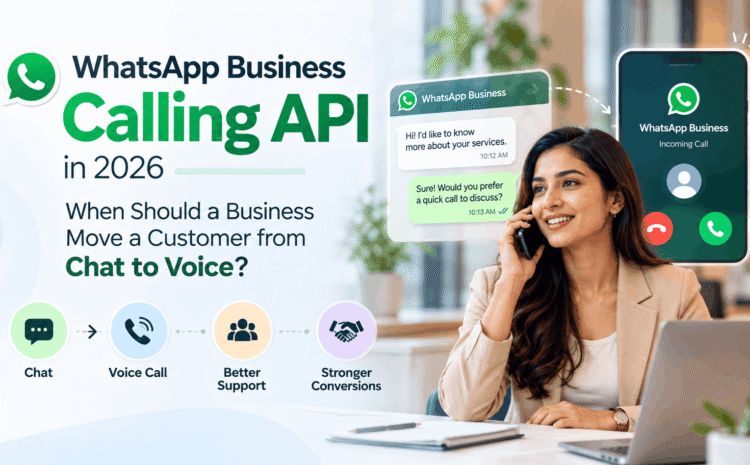
WhatsApp Business Calling API in 2026: When Should a Business Move a Customer from Chat to Voice?
WhatsApp Business Calling API 2026, In reality, WhatsApp for Business is now much more advanced than business messaging. In 2026, businesses will be able to handle customer journeys via chat, automation, AI-driven conversations and even take the conversation further into a voice call should this become necessary.
And that is when the power of the WhatsApp Business Calling API comes in.
The key question for any business to ask is not necessarily, “Can we call our customers via WhatsApp?” It is:
“Under which circumstances will a voice conversation offer a superior customer experience than a chat-based one?”
Calling every single inquiry via voice might be costly in terms of increased workload and the loss of automation features, while keeping all communications in chat format may slow down some situations requiring a more comprehensive approach.
WhatsApp Business Calling API
The WhatsApp Business Calling API allows companies that are using WhatsApp Business Platform to add voice calling to their communication journey through the WhatsApp Business Platform where customers are already communicating with them through messages.
WhatsApp has introduced the Business Calling API in the year 2025 as an effort by which businesses could bring messaging and voice calling together in a single WhatsApp conversation. Some of the features of Business Calling API include calls initiated by customer, approved business-initiated calls, call buttons, business hours, etc.
In India, calling has been made possible by Meta for businesses through the WhatsApp Business Platform so that customers can call the business and the business can call customers who allow a call from them.
Some of the journeys that could be created by businesses using Business Calling API are:
WhatsApp Chat -> Customer Qualification -> Voice Call -> Resolution/Sale -> WhatsApp Follow-Up
Here, the customer can stay in one single communication channel without switching channels from WhatsApp to traditional phone line.
Why Chat Should Normally Be the Beginning
Voice has a lot of power, but that does not mean it must always take the place of chat.
WhatsApp chat is especially effective for customers who require:
- Product information
- Pricing information
- Business hours
- Order status updates
- Appointment confirmation
- Delivery information
- Documents or links
- Basic troubleshooting
- Frequently asked questions
- Basic lead qualification
Chat is easy because customers have the option to reply whenever they feel like replying, and the business can leverage AI to manage their repetitive communication needs.
Voice must therefore be viewed as an escalation medium.
In What Situation Should a Business Transfer a Client From Chat to Voice?
One effective criterion could be the following:
Transfer from chat to voice when continuing to write becomes more difficult than a discussion.
There are several situations when it is likely that the customer will gain from making a phone call.
1. When the Requirement of the Client Becomes Complicated
Not all requests can be solved via writing ten or twenty messages.
The customer may have:
- Multiple questions regarding the same service;
- Multiple requirements for products;
- A unique requirement;
- Dependent questions;
- Difficulties in describing a problem via messages.
Instead of writing many messages, making a phone call can make everything much easier.
As mentioned above, WhatsApp itself offers Business Calling as an option of escalations of complicated sales and support conversations.
2. In Case the Customer Displays High Purchase Intent
It is necessary to avoid forcing a customer with high purchase intent through too lengthy an experience of communication with the chatbot or via messages.
Such signals that the customer intends to buy may include:
- What is your final offer?
- When will you be able to deliver?
- Can I talk to someone?
- What choice should I make?
- Can you customise it?
- What documentation is required?
- How do I pay for it?
Here it would be useful to use short voice communication in order to eliminate any lingering doubts.
3. When Trust is Required
The consumer might be seeking further assurance before making expensive purchases.
Voice becomes handy in various sectors such as:
- Real estate
- Financial services
- Appointments in healthcare
- Travel
- Automobiles
- Education
- Business to business services
- Consulting
- High consideration retail
A knowledgeable individual on voice makes it easier to digest complex information and provides a more personalized experience.
However, this doesn’t necessarily mean that every high-cost purchase needs a phone call.
4. When Chat Is Too Long
The length of the conversation may also serve as an escalator.
In case an agent and a customer are constantly chatting and fail to reach any conclusion, the company may suggest to the customer:
“Would you like to make a brief WhatsApp call so that we can sort this out?”
A short five-minute call could do the job better than another twenty message exchanges.
5. When the Customer is Annoyed
Complaints must be managed carefully.
Customers who are already annoyed with something will not enjoy explaining their problem by sending another message.
Voice may be the right way to go if:
- The problem was dragging on for too long,
- Several troubleshooting attempts failed,
- The customer needs to clarify something,
- The customer needs reassurance,
- There are several people or several issues involved.
An agent will still have access to all the messages that have passed earlier, so the customer does not have to start from scratch once again.
What is good about WhatsApp Business Calls is this very seamless connection between messaging and voice.
When Should a Business Stay in Chat?
Switching to voice could lead to higher operation expenses and greater workload on the agent’s side.
A business should stay in chat when:
- Answering the question is easy
- Need for documentation
- Necessity to share documents, links, or images
- The client prefers to communicate via messages
- The question can be answered using automation
- The client is simply browsing
- Taking any action immediately is not necessary
For instance, having an agent make a phone call to each client that asks about store opening hours goes against the idea of WhatsApp automation.
It should be the aim to save voice conversations for those times when voice communication provides any benefit.
User-Originated vs. Business-Originated WhatsApp Calls
Businesses should be aware of an important point of difference.
User-Originated Calls
Customers have the choice to make a call to a business via WhatsApp if calling has been allowed.
Control of elements such as call availability, call times, and visibility of the call button allows businesses to prevent calls when agents are unavailable.
Business-Originated Calls
However, businesses can also make calls, but in doing so, they must ensure that the customer has given permission for the business to make a call to them.
This point is very important in the sense that businesses should not use WhatsApp Calling as an unregulated telemarketing tool.
A Practical Chat-to-Voice Workflow
An effective workflow could work as follows:
1. Customer initiates WhatsApp chat
Either an automated process, AI assistant or sales representative gauges the needs of the customer.
2. Chat resolves simpler information
Products, services, pricing ranges, and FAQs are sorted out through the messaging process.
3. The system recognizes complexity or purchasing intent
The customer poses complicated questions or signals readiness to move forward.
4. The customer is provided the option for a call
Do not push the customer for the call; provide the option to the customer.
5. The right representative deals with the conversation
It is important that the representative has prior knowledge of the chat history and customer needs.
6. Relevant information flows back to WhatsApp
Post the call, quotes, payment links, appointments, documents and confirmation are sent through the chat.
This makes the chat > call > chat customer journey a smooth process.
Best Practices for WhatsApp Business Calling in 2026
Calling should be accompanied by clearly defined operational guidelines.
Use Calls Effectively
Do not evaluate the performance of your calling service by the number of calls.
Evaluate whether calls help with:
- Time to resolve issues
- Converting leads
- Improving customer satisfaction
- Sales completion
- First contact resolution
- Increase agent productivity
Allow Customers Choices
Rather than making an immediate call, offer the choice of continuing via chat or speaking to someone.
Context in Conversation
Agents should know what happened during the chat prior to receiving the call.
There is no need for customers to repeat all that has been previously said.
Set Business Hours
Make sure calls are possible when suitable agents are available. WhatsApp provides various controls to businesses, including business hours and call icon visibility.
Automate Before Escalating to People
AI and chatbot solutions can gather necessary information before transferring customers.
For instance:
Customer needs → Product interest → Location → Budget → Call
The salesman starts the conversation with some context rather than starting from scratch.
What Are the Best-suited Businesses?
WhatsApp Business Calling would be best suited for businesses having large numbers of not only basic but also complicated conversations such as:
- E-commerce businesses
- Travel businesses
- Hospitals and healthcare firms
- Vehicle dealerships
- Real estate firms
- Financial service firms
- Education businesses
- B2B businesses
- Home services firms
- Customer support teams
Meta has stressed on the use of calling for sales conversion and customer support escalation where complicated conversations require immediate human intervention.
Chat + AI + Voice = The Superior 2026 Approach
Companies need to stop looking at messaging, AI, and voice as different applications.
The superior approach involves combining all three.
AI deals with routine inquiries and preliminary qualification.
Chat facilitates easy, recorded communication.
Voice addresses complex, urgent or critical human interactions.
The human agent intervenes when judgment, empathy or negotiations are required.
In other words, a customer service and sales function where costly human effort is concentrated on the calls that provide the maximum value.
Conclusion
WhatsApp Business Calling API is not an instruction for businesses to turn all their WhatsApp conversations into voice calls.
It is about understanding precisely when voice is better than text.
Simple requests should continue to be chat-based or automated. If there are complicated queries, high intent sales conversations, tough support inquiries or need for reassurance, voice can be used if the customer consents.
With proper design, businesses can ensure a seamless customer journey where chat takes care of convenience and voice takes care of human touch at the right time.
If you are a business looking to integrate WhatsApp Business API, WhatsApp Business Calling, chatbot automation, AI-based conversations or sales workflows on WhatsApp, schedule a consultation with us via our website. We can help build WhatsApp communication journeys based on your business needs and customer experience and not automation only.
Frequently Asked Questions
1. WhatsApp Business Calling API definition
WhatsApp Business Calling API provides the capability for businesses using the WhatsApp Business Platform to incorporate voice calling within their current WhatsApp messaging functionality.
2. Does WhatsApp Business Calling work in India?
Yes. Calling functionality has been announced by Meta for businesses using the WhatsApp Business Platform in India.
3. Can customers initiate calling to a business on WhatsApp?
Yes. Businesses can offer customers voice calling through WhatsApp and set up how and when calling should be made.
4. Can businesses call customers through WhatsApp?
Yes. But for businesses, customer permission must first be obtained via WhatsApp before calling customers.
5. When to escalate from chat to voice?
When the conversation turns out to be too complex, urgent, valuable or difficult to resolve through messaging.
6. Do all sales leads need to be called on WhatsApp?
No. Simple inquiries and leads in an initial stage can typically stay in chat. A call should only be considered when human interaction would actually make a difference to the customer.
7. Can WhatsApp bots function while making calls?
Yes. Companies can leverage automation to address simple inquiries and qualify customers to route qualified customers to a human agent.
8. Can companies control when customers can call?
Yes. WhatsApp Business Calling includes capabilities such as call icon visibility and scheduling business hours.
9. Can WhatsApp Calling be used for customer support?
Yes. It can serve as an escalation route where the customer inquiry cannot be handled efficiently using chat.
10. Can a company send call buttons via WhatsApp?
WhatsApp Business Calling enables call buttons as well as interactive messaging capabilities.
11. Will WhatsApp Business Calling make a call centre obsolete?
No. It may serve as an addition to an existing sales or customer service function where WhatsApp will be used as another voice communication method.
12. What needs to happen after a WhatsApp voice conversation?
It would be good practice if important details like quotations, confirmations, documents, payments etc. were communicated via WhatsApp back in the chat.
13. What should be the best way forward for WhatsApp customers?
For most businesses, the best flow of events is automation > chat > qualification > voice as needed > WhatsApp.
Disclaimer
This document is meant to be informational and educational in nature only. WhatsApp Business Calling API may be subject to changes with respect to availability, requirements, permissions, pricing, functionalities and policies, or may differ on an ongoing basis depending on region or country of implementation and specific business account.