
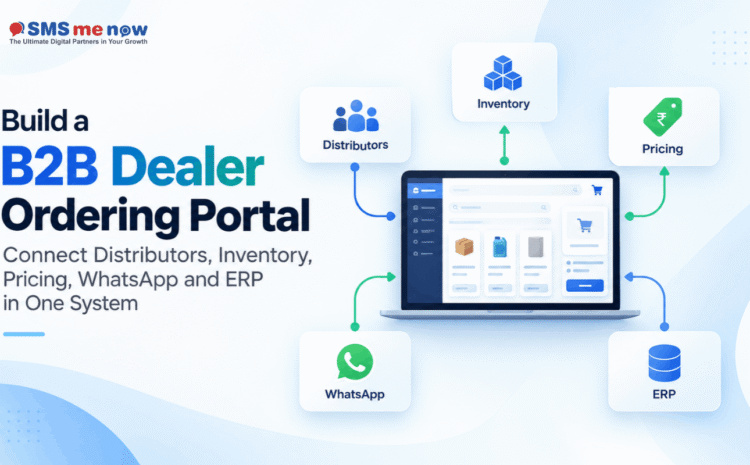
Build a B2B Dealer Ordering Portal: Connect Distributors, Inventory, Pricing, WhatsApp and ERP in One System
Dealers’ orders by manufacturers and distributors are usually organized in a combination of phone calls, WhatsApp messages, Excel files, emails, and entries into ERP. However, while this approach is feasible in case of a small dealer network, it becomes more and more challenging with growing amounts of products, distributors, price lists, and orders.
B2B Dealer Ordering Portal can help to integrate all these processes.
The dealers will stop contacting sales people for information on product prices, stock availability, order statuses, and invoices, and be able to log into their personalized portal where they can get necessary information.
The best process flow will be:
Dealer Login → Product Catalogue → Custom Pricing → Stock Availability → Order → ERP → Shipping → Invoice → Payment → WhatsApp Updates
The goal is not just to build an e-commerce website. A dealer portal must turn into a controlled online ordering system integrated with the current company’s sales, inventory, and finance systems.
Modern B2B commerce platforms already follow this idea. For instance, SAP makes an emphasis on ERP-integrated commerce with accounts-based buying, custom pricing, negotiated terms, approvals, stock availability, and ordering integration with operational systems.
What Is a B2B Dealer Ordering Portal?
A B2B Dealer Ordering Portal is a web-based system that allows the authorized dealers, distributors or business buyers to access the products, know about their prices, availability and order them.
The main difference between this B2B ordering portal and a regular B2C e-commerce website is that every dealer will have his own commercial conditions.
These include such items as:
- Dealer’s account
- Dealer’s distributor
- Dealers region or territory
- Dealer price list
- Eligibility for certain products
- The scheme of discounts
- Limit of credit
- Limit of payment terms
- Location of inventory
- Minimum order quantity
- Order approval policies
Reasons Why Traditional Ordering by Dealers Poses Challenges
In most organizations, the workflow tends to follow this sequence:
Dealers send WhatsApp → Salespeople check stock → Manual price confirmation → Dealers place orders → Orders entered manually in the ERP → Warehouse receives the order → Dealers make further call to check dispatch status
This poses a number of challenges:
- Double manual communication
- Price errors
- Mismanagement of stock
- Duplicate data entry
- Slower order processing
- Low visibility for dealers
- Dependency on salespeople
- Challenging order tracking
- Lack of proper reporting
A dealer portal can automate a lot of this mundane communication while still allowing employees to handle exceptional situations, negotiate, and build relationships.
1. Create an Accessible Account for All Dealers
Firstly, the portal should allow for authenticated access for all dealers.
An account can be linked with information like:
- Dealer code
- Name of business
- GST information
- Billing address
- Delivery address
- Territory
- Salesperson assigned
- Distributor
- Credit terms
- Price list
Then the portal should display information based on this account.
It does not make sense for a dealer in Rajasthan to have the same price list, warehouse information and business conditions as the other dealer working in some other territory.
Role based access will also help for:
Dealer Owner: Full access to account and orders
Purchase Manager: Access to ordering and order history
Accounts Team: Access to invoices and payments
Thus providing better control to businesses over the activities that can be done.
2. Provide Customer Specific Pricing
Pricing represents a major distinction between B2B transactions and regular online transactions.
A manufacturer could have:
- Dealer price
- Distributor price
- Regional price
- Contract price
- Volume price
- Promotional price
- Special price
The portal must determine or retrieve the right price based on the logged-in dealer.
Current SAP ERP-enabled B2B commerce provides customer specific pricing as well.
This would eliminate the need for dealers to repeatedly ask:
“What is my cost for this product?”
It helps prevent the likelihood of the salesperson providing an incorrect rate by mistake.
Keep ERP as the Pricing System of Record
Wherever possible, the source of commercial pricing rates should be ERP or the designated pricing system.
The portal should show these rates and not maintain separate, uncontrolled price lists.
This avoids discrepancies among the following:
Portal Price -> Sales Price -> ERP Invoice Price
3. Availability of Real Inventory
It is essential for dealers to know whether the product can be ordered or not.
The portal may show statuses like:
- Stock Available
- Limited Stock Available
- Avaliable on Order
- Stock Unavailable
- Coming Soon
Depending upon the business model, the inventory may come from:
- Central Warehouse
- Regional Warehouse
- Distributor’s Inventory
- Factories’ Inventory
- Finished goods Inventory
But the company needs to be cautious while revealing the raw quantities in stock.
Often availability status works better in such cases than displaying raw inventory quantities.
Available Stock May Not Necessarily Be Physical Stock
ERP integration should clearly differentiate between:
Physical stock & available stock to be ordered.
Certain inventory might be:
- Reservations
- Sold out (allocated orders)
- Being inspected for quality
- Locked
- In Transit
- Allocated to other distributors
The portal should show the quantities that can really be ordered by the dealers.
4. Easy Product Ordering
The dealer generally knows what he/she is looking for.
It means that the system should help the dealer place orders quickly and conveniently.
Ordering features to implement are:
- SKU search
- Product name search
- Category filter
- Previously made orders
- Most common orders
- Quantity selection feature
- Bulk order option
- Minimum order validation
- Cart
- Save draft order
- Re-order previously bought product
When the dealer is going to make an order for 50 SKUs, he/she shouldn’t be placed in the same order-making process as a consumer buying one product.
5. Auto-Process Orders into ERP
After the dealer approves the order, there should be no need for manual re-entry of the order data.
This can be auto-processed from the portal into ERP.
Examples of information that can be processed include:
- Dealer Code
- Product
- SKU
- Quantity
- Price
- Discount
- Tax
- Delivery Address
- Payment Terms
- PO Number
The process would be as follows:
Dealer Order → Validation → ERP Sales Order → Inventory Allocation → Warehouse
ERP-enabled e-commerce is particularly created to optimize the link between order taking, pricing, inventory and fulfillment processes.
6. Order Approval as Appropriate
An order doesn’t always have to go directly into fulfillment.
Order approval is needed when:
- Discount exceeds a limit
- Credit limit is exceeded
- Payment is past due
- Order value is very high
- Special pricing is requested
- Product needs approval
The portal could show:
Order Placed → Order Approval Pending → Order Approved → Order Processing
It is much more informative than making the dealer wait for approval by phone or WhatsApp.
7. Link up Warehouse & Dispatch Status
Once the ERP system processes the order, the process of fulfillment commences.
The portal should provide statuses related to the customers as follows:
Confirmed Order
Processing
Ready for Dispatch
Dispatched
Partially Dispatched
Delivered
Additionally, depending on the situation, the dealers may get the following information:
Dispatch Date
Invoice No.
Transporter Name
LR/AWB No.
No. of Packages
In this way, the sales personnel will be saved from answering many order status-related queries.
8. Introduce WhatsApp as a Communication Layer
WhatsApp would act as an extension of the portal and not vice versa.
The portal contains structured information.
WhatsApp contains the convenience of communication.
Some useful WhatsApp alerts can be:
- Order received
- Order approved
- Order shipped
- Payment prompt
- Delivery notification
- Notification about availability of product
- Assistance by sales representative
A dealer can get:
“You have received shipment of order #24581. Check full details on your dealer portal.”
This redirects the consumer back to the single source of information.
For the businesses operating on the WhatsApp Business platform, there is a requirement of following the messaging standards of Meta.
9. Integration of CRM for Dealer Relationship Management
ERP deals with operational transactions.
CRM is responsible for managing the relationship.
These are some of the things that can be stored within the CRM:
- Profile of dealer
- Sales person assigned to dealer
- Territory
- Past inquiries
- Sales opportunities
- Customer complaints
- Action items
- Sales targets
In such a way that the portal could integrate:
Dealer activities → CRM
Whereas the transactions will be entered into:
ERP
10. Display Invoices, Outstanding Balances & Payments
The portal for dealers needs to go beyond just placing orders.
The dealer will get access to the following:
- Invoices
- Refunds/Credits
- Outstanding Balance
- Next payment date
- Payment History
- Credit Limit
- Average Credit Available
- Account Statement
This will help in reducing unnecessary calls to the accounting department.
For example:
Credit Limit: ₹10,00,000
Used: ₹6,50,000
Available: ₹3,50,000
Outstanding: ₹75,000
The dealer will be able to understand their position before placing an order.
11. Enable Repeat Purchases
Repeat purchases is one of the largest business opportunities in B2B sales.
Make repeat purchase easy.
The best would be to allow the dealer to open an old order and select:
Reorder
The dealer can adjust quantities and reorder.
Other functionalities could include:
- Most frequently purchased items
- Most recently ordered items
- Saved orders
- Favorite products
This will help remove ordering obstacles and make your portal a normal way to place orders for the dealer.
System Architecture Recommendations
A good architecture will be as follows:
Dealer Portal
↓
CRM & Authentication
↓
ERP Integration
↓
Pricing + Inventory + Order Management
↓
Warehouse/Shipping
↓
Invoices & Payments
On top of that:
WhatsApp → Notifications + Conversations + Human Assistance
Each system has its own role.
Dealer Portal
Self-service purchasing system.
ERP
Product information, pricing logic, inventory, orders, invoices and accounting.
CRM
Dealer relations and sales activities.
Communication and chat assistance.
Important Dashboard Elements
The dealers need to see relevant information right away after logging in.
The dashboard may consist of:
- Open orders
- Last orders
- Approvals pending
- Dispatches
- Pending invoices
- Avaliable credit
- Suggested reorders
- Last offers
- Salesperson assigned
Limit the dashboard to those actions that need to be taken by the dealer.
Benefits to Distributors & Manufacturers
An appropriately integrated B2B Dealer Ordering Portal can offer the following benefits:
- Dealer ordering round the clock
- Order processing speed-up
- More accurate dealer-specific pricing
- Increased inventory transparency
- Less manual order entering
- Fewer pricing errors
- Reduced burden on sales personnel
- Better order tracking
- Easier repeat orders placing
- Enhanced dealer experience
- Centralization of order history
- ERP data accuracy improvement
- Enhanced payment visibility
The key benefit is the ability to automate routine tasks while allowing people to do what only humans can do.
Mistakes to Avoid During Implementation
Don’t create a dealer portal that would be similar to an online retail store.
Typical mistakes are:
- The same pricing offered to all dealers
- Use of separate inventory systems
- Manual stock management
- No account of credit limits
- Double ERP record entries
- Creating a complex ordering interface
- Too many WhatsApp messages sent
- ERP access given to all dealers
- Ignoring mobile usability of the portal
- No repeat order placement functionality
KPIs to Monitor
For organizations, it makes sense to monitor:
- Usage of portal
- Digital order volume
- Average order value
- Repeat order rate
- Order processing time
- Price error rate
- Order failure due to stock issues
- Order approval time
- Percentage of orders dispatched on time
- Outstanding receivables
- Dealer retention
- Time savings for sales force
The goal is not to just increase portal usage.
Conclusion
In today’s world, the ordering process by a dealer must not rely only on calling, spreadsheets, and WhatsApp.
A good B2B Dealer Ordering Portal will have one integrated process flow like the following:
Dealer -> Products -> Price as per customer -> Inventory -> Order -> ERP -> Shipping -> Invoicing -> Payment
CRM adds relation management.
WhatsApp adds easy communication.
ERP stays operational ground truth.
And all this makes for a fast, transparent and scalable ordering process for dealers.
If you want to create a custom B2B dealer ordering portal with ERP integration, distributor management, inventory management, dealer pricing, WhatsApp integration and payment management, book a consultation on our website. We can create the entire process flow based on your actual dealer ecosystem.
Frequently Asked Questions
1. What is a B2B Dealer Ordering Portal?
A B2B Dealer Ordering Portal is a protected website through which authorised dealers or distributors have access to products, their prices, inventory and order information.
2. What are the differences between a dealer portal and an e-commerce website?
While some functionalities of the two portals might overlap, there could be features specific to a dealer portal such as account pricing, credit terms, bulk ordering, approvals, distributor relationships and ERP transactions.
3. Is it possible for each dealer to have its own prices?
Yes. The prices could be based on dealer groups, territories, contract, product, order size or any other business rules.
4. Is it possible for the portal to check ERP inventory?
Yes. The portal could get the available ERP inventory data rather than maintaining a manual inventory database.
5. Is it possible to enter the dealer orders into ERP?
Yes. The orders can be entered into ERP based on company business process.
6. Can both distributors and dealers share the same portal?
Yes. Role-based access enables them to see and do things differently in the portal.
7. Can dealers monitor their dispatches?
Yes. ERP, warehouse or logistic information can be shown on the portal through order and dispatch status.
8. Can WhatsApp integration be possible with the dealer portal?
Yes. WhatsApp Business Platform can be integrated for permitted order confirmation, dispatch update, reminders and other conversational support with the portal.
9. Can dealers see outstanding payments?
Yes. ERP or accounting information can be synced so that dealers can see invoices, due date, outstanding payment and other related account details.
10. Can the portal restrict orders based on credit limit?
Yes. Orders can be restricted or routed for further processing in case the predefined credit criteria is violated.
11. Can Dealers Replicate Orders Previously Placed?
Yes, dealers can replicate orders through reorder capabilities, which can help them replicate previously placed orders with adjustments made as per their needs.
12. Is Dealer Portal going to replace ERP System?
No, normally the portal will offer an ordering interface to the dealer while the ERP system continues handling key business operations and financial record keeping.
13. Is WhatsApp replacing dealer portal?
No, WhatsApp will be used more as communication tool while the portal is used to order products, see prices, inventory and accounts details.
14. What Businesses Can Benefit From Dealer Portals?
Businesses that include manufacturers, wholesalers, distributors, brands with repetitive B2B orders, with multiple dealers, complex pricing and huge product catalogs are likely to benefit from it.
Disclaimer
The article has been written for information and educational purposes only. Businesses and ERP systems differ across businesses and software vendors. Businesses need to consider their business policies, ERP system architecture, data security, customer permissions and other requirements such as taxes and payments before setting up an integrated ordering process for their dealers.