
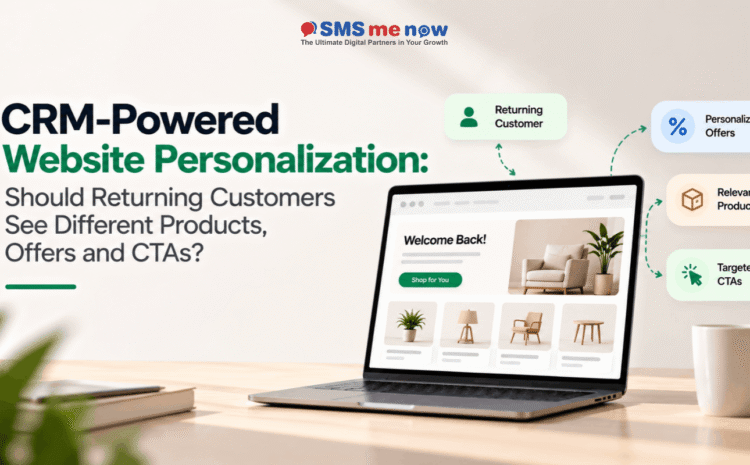
CRM-Powered Website Personalization: Should Returning Customers See Different Products, Offers and CTAs?
CRM-Powered Website Personalization for Returning Customers, Most websites treat all visitors the same.
Both a new visitor and an old customer will see the same offers, the same calls to action and the same products.
Such approach is easy but may lead to the loss of valuable information about the customer.
Using CRM personalization of the website, the business can take advantage of the information already available about its customer to provide a more personalized experience on the website.
The right question is not whether each returning customer will see an entirely new website.
The right question is:
What sections of the website should be personalized for the customer depending on the information known about him or her by the business?
In most cases, the returning customer will see more relevant products, offers and CTAs in such situation.
What is CRM-Powered Website Personalization?
CRM website personalization involves utilizing data held in the CRM database regarding a particular client or prospect to modify various sections of the website experience.
The data held in the CRM may include:
- History of previous purchases
- Past inquiries
- Client segments
- Interest in products or services
- Sales pipeline stage
- Information on previous quotes
- Membership status
- Renewal details
- Previous interactions
- Client location or type of account
By integrating the information above into the website, companies are able to make informed decisions on what returning visitors will see.
Rather than treating each interaction separately, the website continues the journey of the visitor.
Is It Appropriate To Show Different Content To Returning Customers?
In most scenarios, yes.
Personalization needs to be done selectively and not overly.
A returning customer does not necessarily require a different homepage, navigation, and even different website design altogether.
The best way to personalize is through valuable items, like:
Product → Offer → CTA → Recommendation → Follow-Up
The goal is to eliminate unneeded processes and create relevance.
An instance of this would be a returning customer who already has the lowest service pack, and showing them upgrades will do more good than showing them the same starter package.
1. Personalized Products: Recommend What is Next
Personalization can be done on products when past behavior of the customer predicts what is relevant next.
Some of the examples of recommendations for products from CRM are:
- Complementary products
- Purchase again
- Replacement products
- Upgrade
- Service
- Renewal
- Frequently bought products
These are some good recommendations for eCommerce sites, subscriptions, professional services, and any other business where customers have recurring needs.
Do Not Recommend the Same Item
An error that people make while doing personalization of their websites is recommending the same item which the customer already has purchased.
If the purchase of the item is not going to occur soon, then the website should rather show something useful instead.
Like:
Item purchased → Relevant accessory → Upgraded → Support service
2. Customized Offers: Relevance is More Important than Discounts
Personalization on the web does not involve offering each returning visitor a discount.
There are many ways to personalize offers based on the customer’s status and requirements.
For example:
- Offerings for renewals
- Opportunities for upgrade
- Offers for loyalty programs
- Service packages
- Purchasing packages
- Customized offers for customers
It is important to make the offer more relevant to the customer and not make them wait for a discount upon their return.
3. Personalized Call to Actions: Next Step to Take
One of the crucial places for personalization in CRM is calls to action.
Imagine a customer who is seeing on the website:
Free Consultation
If the client had a free consultation before, then seeing the above CTA is useless for him.
Instead, a returning customer will see something like:
Continue Your Conversation
Explore Your Options
Upgrade Your Plan
Order Again
Schedule Your Next Meeting
Talk to Your Account Manager
This way the customer feels the flow.
Personalized calls to action can be helpful to avoid any confusion when the website shows the next step to take.
CRM Personalization According to Customer Stage
There are different web experiences for different customer stages.
Customer stage Potential website experience
First-time visit Learn more, get quote, schedule appointment
Lead Continue inquiry, speak with salesperson, read about service
Quote sent Discuss quotation, ask questions, reach out to rep
Existing customer Re-order, manage service, discover more products
Renewal customer Renew subscription, review options, reach support
Inactive customer Check out what’s new, re-engage, get consultation
This makes it much easier to personalize because companies will not be personalizing on individuals but on groups that mean something.
Before Personalization on an Individual Basis, Start Segmentation
Companies do not have to be very sophisticated when personalizing for positive outcomes.
Segmentation will work much better in most cases.
Segments can be:
- First-time visitors
- Dear old friends
- Leads
- Current clients
- Loyal clients
- Inactive clients
- Subscribers
- Repeat clients
Each group can be offered something slightly different – offers, products or call to actions.
This approach will be easier to handle, easier to test and lower risk than doing individual personalization of each element on a website.
Personalization Must Be Helpful on the Path to Purchase
Effective personalization asks:
What is going to help the customer progress further?
Ineffective personalization asks:
What else can we get them to buy?
This is the crucial difference.
A repeat visitor does not necessarily require any other promotion.
The visitor may require:
- More detailed product information
- Easier reordering
- Faster assistance
- The quotation they received before
- The chance to renew
- A conversation via WhatsApp
- A booking link
- Contact with the appropriate sales rep
Personalization must make the customer journey smooth and seamless.
CRM, Website and WhatsApp Can Make an Effective Funnel
Personalization driven by CRM becomes especially powerful in combination with other channels of communication, such as WhatsApp.
The visitor can go through the following funnel:
CRM Knows the Customer → Relevant Service Shown on Website → Customer Hits WhatsApp Button → Sales Team Gets the Context → Follow-Up Proceeds
It’s more efficient than initiating the conversation from scratch each time.
The WhatsApp message can have context from the web page visited by the customer too.
For instance:
I would like to discuss upgrading the service plan I am using now.
It immediately provides the sales team with the starting point.
When Not to Personalize?
Personalization shouldn’t be implemented just because it’s possible.
Do not personalize if:
- Information about the customer is not reliable.
- The website can’t make out the visitor.
- The recommendation might disclose personal information.
- The experience might seem too intrusive.
- The customer hasn’t given the appropriate permissions for that.
- The personalized choice is inferior to the default one.
Wrong personalization may become even more harmful than absence of personalization.
If a website makes wrong assumptions about the customer’s preferences or customer status all the time, the trust may diminish.
Maintain Privacy and Transparency as Key Points
The personalization of CRM is done with the help of the customer’s data; therefore, it would be prudent for businesses to keep privacy in mind while planning their strategy.
Some good practices in this regard are:
- Capturing only required data.
- Safeguarding customer data.
- Explain data usage practices.
- Honor customer preferences.
- Limit access to authorized personnel.
- Avoid unnecessary sharing of customer’s personal information.
- Sustaining accuracy of CRM data.
It should be noted that customer experience should not be made too intrusive in nature.
What Should Businesses Prioritize in Customizing?
Rather than remodeling their entire website, businesses should start customizing aspects of their website that are closest related to conversions.
The following order could help:
- Calls to actions
- Suggestions for products or services
- Offers specific to individual customers
- Forms and enquiries process
- WhatsApp/sales transfer
- Messaging follow-up
Measuring Personalization Effectiveness
Personalization must be measured in the same way as other conversion methods.
Key metrics to consider include:
- Returning visitor conversion rate
- CTA click-through rate
- Repeat purchase rate
- Average order value
- Upsell conversion rate
- Renewal rate
- WhatsApp inquiry rate
- Lead-to-customer conversion
- Customer retention
- Revenue of returning customers
It is important for businesses to measure personalized experience versus standard experience wherever possible.
If personalization doesn’t increase relevance, conversion and/or customer satisfaction, personalization should be adjusted.
SEO and AEO Factors to Consider
The personalization of your customer relationship management system should not take the place of quality content on your website.
Search engines and AI-driven discovery platforms will still require valuable webpages with information about your products and services and your area of expertise.
The website that is accessible to everyone should include:
- Information about your services
- Valuable content
- FAQs
- Headings
- Internal linking
- Business information
- Product information
It will help businesses integrate:
SEO/AEO Discovery → Website Visit → CRM Personalization → Relevant CTA → Conversion
Frequently Asked Questions
1. What is website personalization enabled by CRM?
The application of customer data from CRM to customize website content, products, offers, and call to action for returning visitors.
2. Do returning customers need to be offered different products?
Yes, if the company has good data which indicates that the different products or accessories are more relevant for that particular customer.
3. Do returning customers need to be offered different offers?
Occasionally. Offers made to customers should be based on their needs, loyalty, renewal or purchase history but not always discount offers.
4. Is it possible to change CTAs for returning visitors?
Yes. The actions like “Reorder”, “Upgrade”, “Continue your enquiry”, or “Book again” should be seen by a returning visitor instead of a general enquiry CTA.
5. Does personalization help to increase conversion rate?
Website personalization could contribute to an increased conversion rate.
6. Does CRM personalization apply to eCommerce sites alone?
Not at all! Customer services, hospitals, B2B enterprises, education firms, real estate firms, and many other industries could benefit from CRM personalization.
7. Do I need complex AI for website personalization?
No! Businesses can begin with basic CRM segmentation and even personalized calls to action/recommendations.
8. Which customer details can help personalize a journey?
Purchase history, inquiry history, products of interest, stage in the buying process, account type, account renewal status, and prior interactions with the business can prove valuable.
9. Can WhatsApp be integrated with my personalized journeys on the website?
Yes! Website context can enable customers to enter into productive conversations on WhatsApp and sales people can provide information accordingly.
10. Can personalization make the customer feel uncomfortable?
Yes! Personalization can be uncomfortable, especially if it is wrong, pushy or too revealing!
11. Should all the visitors of my website be personalized?
No! New or unknown visitors need a strong default experience; personalization should only be done in case of relevant context.
12. How can businesses track CRM personalization?
Track returning customer conversions, call-to-action (CTA) engagements, repeat purchases, up-sales, account renewals, customer retention and revenue.
Conclusion
Your regular customers don’t have to see your website just the same as new customers do.
CRM-driven website personalization can assist organizations in delivering relevant products, smart offers, and effective calls-to-action according to the current customer-brand relationship.
Nevertheless, personalization does not require altering everything.
The best way to personalize is to personalize moments that really matter:
Customer Data → Relevant Website Experience → The Right Product/Offer → The Right CTA → Dialogue → Conversion
To start, define customer segments, personalize key website elements, pay attention to privacy and track results.
In order to develop a CRM-driven website which delivers more relevant products, offers, and CTAs to returning customers, schedule a consultation via our website.
Disclaimer
This article is for informational and educational purposes only.
The ability to use CRM functionality, personalize and identify customers will depend on the website platform, CRM solution, integration and business needs.
Businesses need to follow all relevant privacy, cookies, consent, data protection and communication laws when collecting and utilizing customer data.
Personalization does not ensure higher conversions. Conversion rates will depend on a variety of factors including data validity, website traffic, customer behavior, quality of the offer, sales process and implementation.