
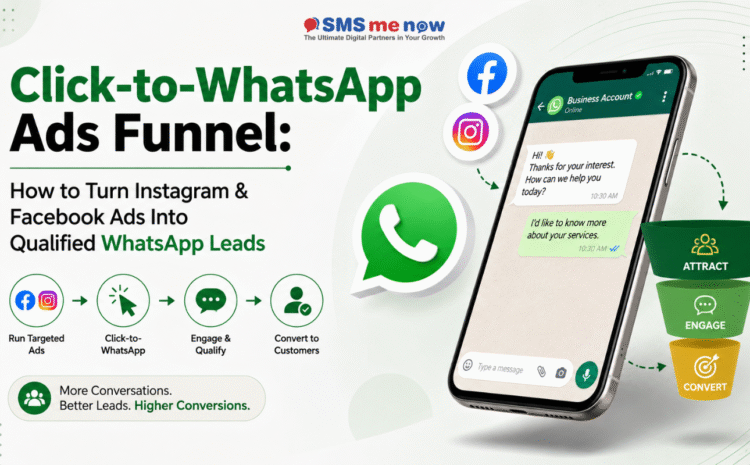
Click-to-WhatsApp Ads Funnel: How to Turn Instagram & Facebook Ads Into Qualified WhatsApp Leads
Quick Answer
Click-to-WhatsApp ads work best when the ad and chat are designed as one funnel. The ad should set clear expectations, the first WhatsApp interaction should collect only the information needed to route the lead, CRM should assign ownership quickly, and sales follow-up should continue from the context already captured instead of restarting the conversation.
Click-to-WhatsApp Ads Funnel: How to Turn Instagram & Facebook Ads Into Qualified WhatsApp Leads is an important business topic because communication and marketing systems now sit directly inside the customer journey. Businesses are no longer choosing tools only for sending messages or receiving calls; they are deciding how leads are captured, how quickly teams respond, how customer consent is respected and how outcomes are measured.
This guide focuses on Click to WhatsApp ads from a practical 2026 perspective. It explains where the approach creates value, where businesses commonly make mistakes, how to implement it in stages and what to measure after launch. The goal is not to overload the discussion with code or platform jargon, but to give owners and marketing or operations teams a clear framework they can use when planning the service.
Why This Topic Matters for Businesses in 2026
- Meta has been expanding centralised campaign management across WhatsApp, Facebook and Instagram, making messaging an increasingly direct advertising destination.
- The biggest failure point is often after the click: leads enter WhatsApp but wait too long, receive generic replies or are never assigned to a salesperson.
- Chat automation should qualify lightly rather than force ten questions before a human can respond.
- Campaign source and creative should be passed into the lead record so sales teams know what promise or product attracted the customer.
- Retargeting and follow-up should respect opt-in and messaging rules rather than treating every ad click as permanent marketing permission.
Design Principles for a Strong WhatsApp Business Workflow
- Treat WhatsApp as a customer journey, not as a replacement for mass unsolicited messaging. The business should know why the customer entered the channel, what information is needed next and when a human should take ownership.
- Template governance matters. Keep a controlled library with purpose, owner, audience, approval status and last review date so old or duplicated templates do not become permanent clutter.
- Opt-in quality affects both commercial performance and customer experience. Relevant permissioned audiences make automation more useful because the business can personalise by lifecycle and intent instead of broadcasting blindly.
- Integrations should pass only the data needed for the task. A chat platform does not need unrestricted access to every CRM or ERP field simply because an API exists.
A Practical Workflow
- Create a specific ad for one product, service or customer problem.
- Open a prefilled WhatsApp conversation that clearly matches the ad.
- Ask two to four qualification questions that materially affect routing.
- Create or update the CRM lead with source, campaign and answers.
- Assign the lead to a salesperson with an expected response SLA.
- Track quotation, appointment or sale back to the originating ad.
Business Use Cases
- A car dealer can ask model and city before assigning the correct showroom.
- A real-estate ad can capture project interest and preferred site-visit timing before a salesperson calls.
- A training institute can capture course and preferred batch instead of sending every lead the full prospectus.
What to Measure
- Track cost per WhatsApp conversation. Define exactly how the metric is calculated and who reviews it so reporting remains consistent across campaigns and teams.
- Track qualification completion. Define exactly how the metric is calculated and who reviews it so reporting remains consistent across campaigns and teams.
- Track time to human response. Define exactly how the metric is calculated and who reviews it so reporting remains consistent across campaigns and teams.
- Track qualified lead rate. Define exactly how the metric is calculated and who reviews it so reporting remains consistent across campaigns and teams.
- Track sales conversion. Define exactly how the metric is calculated and who reviews it so reporting remains consistent across campaigns and teams.
- Track cost per acquisition. Define exactly how the metric is calculated and who reviews it so reporting remains consistent across campaigns and teams.
Common Mistakes to Avoid
- Avoid using a generic ad that opens a generic greeting. This usually creates either unnecessary cost, weak customer experience, poor reporting or compliance risk.
- Avoid asking too many automated questions. This usually creates either unnecessary cost, weak customer experience, poor reporting or compliance risk.
- Avoid failing to record campaign source. This usually creates either unnecessary cost, weak customer experience, poor reporting or compliance risk.
- Avoid allowing chats to sit unassigned. This usually creates either unnecessary cost, weak customer experience, poor reporting or compliance risk.
- Avoid optimising ads for cheap conversations instead of qualified outcomes. This usually creates either unnecessary cost, weak customer experience, poor reporting or compliance risk.
Implementation Checklist
- Start with one journey that has visible manual effort or response delays. Document the current messages, people, systems and customer decisions before choosing automation features.
- Define opt-in source, template categories, human handover, business hours and escalation. Then build the smallest workflow that solves the problem end to end.
- Integrate CRM only after record ownership and duplicate rules are clear. Otherwise the automation can create more data cleanup than value.
- Pilot with one team or customer segment. Review chat transcripts, template performance and handover quality before increasing message volume.
- Create a monthly governance review for templates, knowledge-base information, pricing/policy changes and platform updates.
A 30-Day Action Plan
- Week 1 – Discovery: export a representative sample of customer conversations, classify why people contact the business and identify the journeys with the highest delay, repetition or lost follow-up. Confirm the opt-in source and the human teams that will own each journey.
- Week 2 – Design: draft the approved messages, qualification questions, handover rules and CRM fields. Keep the first version deliberately narrow so the team can understand exactly which customer problem the automation is supposed to solve.
- Week 3 – Pilot: launch with one team, branch or customer segment. Watch real conversations every day, record where customers become confused and check whether agents receive enough context when they take over from automation.
- Week 4 – Optimise: remove unnecessary steps, improve weak templates, tighten audience rules and compare response, conversion and cost with the pre-launch baseline. Document the operating process before expanding to another journey.
- After 30 days, decide whether to scale based on customer outcome and team productivity, not simply on the number of messages or the percentage of conversations automated. A smaller reliable workflow is a stronger foundation than a large fragile bot.
Frequently Asked Questions (FAQs)
1. What are click-to-WhatsApp ads?
They are Meta ad formats that let a user start a WhatsApp conversation with the business directly from the ad.
2. Do I need WABA?
The exact setup depends on scale and workflow. WABA becomes valuable for automation, team handling, templates and integrations.
3. How many qualification questions should I ask?
Only the questions that change routing or sales priority. Two to four concise questions are often more usable than a long form.
4. Should a bot give prices immediately?
For standard products it may help; for complex services or negotiated pricing, use ranges or route to a salesperson.
5. How fast should sales respond?
As quickly as practical. The customer has just shown active intent, so long delays waste paid-media spend.
6. Can I connect chats to CRM?
Yes. A properly integrated workflow can create leads, store campaign metadata and assign ownership.
7. What should the ad optimise for?
Ultimately for qualified business outcomes, not merely the cheapest conversation start.
8. Can I retarget every WhatsApp lead?
Retargeting and messaging must follow applicable platform policies, consent and audience rules.
9. How do I know which ad generated the sale?
Store campaign and creative identifiers in the lead record and maintain disposition through the CRM journey.
10. Can SMS Now run the full funnel?
SMS Now provides digital marketing and WABA-related services that can be planned together around lead generation and follow-up.
Conclusion
Click to WhatsApp ads can create meaningful business value when it is designed around a real customer journey, clear ownership and measurable outcomes. The strongest implementations start with a focused problem, use the right channel for the right task and improve through actual performance data rather than adding automation for its own sake. For a practical discussion about your use case, visit SMSNow.in or use the SMS Me Now contact page to share your requirement. The team provides bulk SMS, voice, WhatsApp Business API, web and digital-marketing services that can be combined according to the business need.
| Plan your business communication or marketing workflow with SMS Me Now. Visit SMSNow.in or contact the team to discuss the most suitable setup for your business. |
Suggested Internal Links
- AI Agents on WhatsApp for Businesses: What to Automate, What Humans Should Handle & How to Build the Right Workflow
- WhatsApp Automation for Automobile Dealerships: From Ad Enquiry to Test Drive, Quotation, Service & Repeat Sales
- Google Ads vs Meta Ads vs SEO: Where Should a Small Business Spend Its Marketing Budget?
Disclaimer
This article is for general informational and marketing-planning purposes. Platform features, pricing, regulatory requirements, availability and technical capabilities can change. Verify current official documentation and obtain appropriate professional advice for compliance, privacy, security or regulated-sector requirements before implementation.