
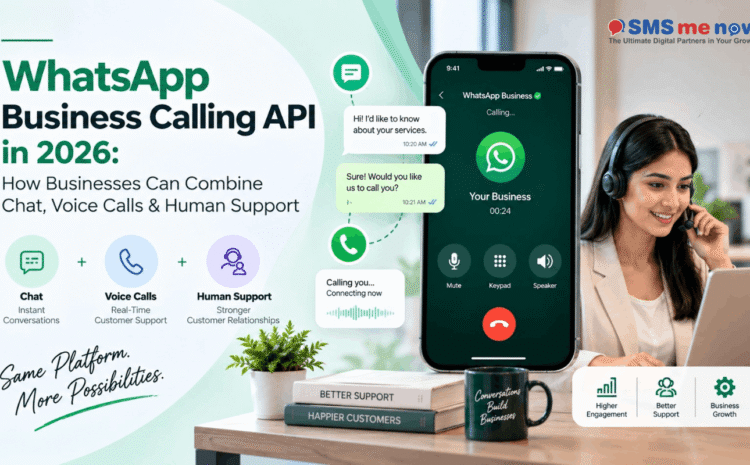
WhatsApp Business Calling API in 2026: How Businesses Can Combine Chat, Voice Calls & Human Support
Quick Answer
The WhatsApp Business Calling API provides eligible businesses with access to voice calling capabilities within their WhatsApp-based services workflows. The most compelling use case is not to replace phone calls, but to provide customers with the option to escalate from chatting to voice if their conversation becomes complicated, urgent or sensitive enough, without sacrificing structured routing and follow up.
WhatsApp Business Calling API in 2026: How Businesses Can Combine Chat, Voice Calls & Human Support is an important business topic due to the fact that today communication and marketing tools reside in the middle of the customer journey. Instead of simply picking solutions to send and receive messages, businesses decide how their leads are generated, how fast responses arrive, how consents are managed and how results are tracked.
This guide considers the WhatsApp Business Calling API from a 2026 perspective and provides details about its practical application. This includes the use cases for the solution, typical mistakes, how to deploy it step by step, and which metrics to track after launch. The purpose of this guide is not to clutter it with technical details and platform-related terms, but to provide businesses with a roadmap they can follow.
Why This Topic Is Important to Businesses in 2026
- The Meta team has a specific Business Calling API, as well as rate cards, and voice becomes an official addition to business messaging, instead of an unofficial one.
- Chat becomes useful when there is a need for confirmation, document transmission or question that does not require immediate answer, while voice is better when clients need clarification, assurance or fast problem solving.
- It is possible to save time on additional verification due to pre-existing context provided by business through chat, prior to the call.
- Calls need to be announced with clear terms of use and availability of the call, in order to avoid any unpleasant surprises for customers.
- Businesses should continue supporting traditional telephony.
WhatsApp Design Rules for Effective Workflow
• Dont use WhatsApp like a customer journey but as a channel that is a substitute to mass unsolicited messages. It needs the business to understand why the customer is on the channel, what information is required and when a person needs to step in.
• Template management is crucial. Maintain a controlled template library, with fields for purpose, owner, audience, approval status and last reviewed date, so that outdated or duplicated templates dont end up as persistent garbage.
• Opt-In quality affects the performance of business and customer experience as well. Permissioned audience, which is relevant, helps in automation because the business can personalize based on the lifecycle and intent.
• Integration needs to transfer only necessary data for the process. Just because there is an API available, a chat platform doesnt necessarily require every single field of CRM or ERP.
Workflow Implementation
• Employ use of chat or automation to determine the customer and nature of his or her contact.
• Only offer a call if the matter will be resolved faster on the phone than through any other method.
• Send the call to the appropriate sales or support queue without giving out personal numbers of employees.
• Ensure that the agent has context of the chat before the call.
• Enter result of the call, next step and any commitment into the CRM or support system after the call.
• Send confirmations, documents and other information back to the WhatsApp conversation if appropriate.
Use Cases for Businesses
• A travel firm can provide itinerary answers in chat and escalate an involved international booking conversation to a phone call.
• A car dealership may qualify an inquiry about the model of the car through chat and escalate a financing or negotiating conversation to a salesperson’s call.
• Support staff could allow the customer to send pictures in chat before speaking with a technician.
Metrics to be Measured
- Monitor call acceptance ratio. Clearly define how the measurement will be done and who will do the monitoring to ensure consistency in reporting.
- Monitor average handle time. Clearly define how the measurement will be done and who will do the monitoring to ensure consistency in reporting.
- Monitor first contact resolution. Clearly define how the measurement will be done and who will do the monitoring to ensure consistency in reporting.
- Monitor the ratio of chat escalation to call. Clearly define how the measurement will be done and who will do the monitoring to ensure consistency in reporting.
- Monitor the conversion of leads after call. Clearly define how the measurement will be done and who will do the monitoring to ensure consistency in reporting.
- Monitor customer satisfaction. Clearly define how the measurement will be done and who will do the monitoring to ensure consistency in reporting.
Common Mistakes to Avoid
• Do not make unscheduled and unpermitted customer calls. It will usually result in either unnecessary cost, bad customer experience, poor reporting or compliance risk.
• Do not use voice for status updates, which can be handled by chat better. It will usually result in either unnecessary cost, bad customer experience, poor reporting or compliance risk.
• Do not fail to provide agents with chat context. It will usually result in either unnecessary cost, bad customer experience, poor reporting or compliance risk.
• Do not fail to define fallback when calls are missed. It will usually result in either unnecessary cost, bad customer experience, poor reporting or compliance risk.
• Do not ignore the existing Calling API pricing and eligibility. It will usually result in either unnecessary cost, bad customer experience, poor reporting or compliance risk.
Implementation Roadmap
- Use one of the journeys where manual work or lag is obvious. Note the existing messages, people, systems and customer decisions prior to determining automation features.
- Determine opt-in source, template categories, handover process, business hours and escalation process. Build minimum viable workflow to solve the problem.
- Connect to CRM once ownership of the records and duplication process is clearly defined to avoid data clean-up work through automation.
- Begin with small pilot for one team or customer group. Analyze chat transcripts, template effectiveness and handover process before scaling message flow.
- Conduct monthly governance meeting on templates, knowledge base updates, price changes etc.
30-Day Action Plan
• Week 1 – Discovery: Export a sample of conversations, identify why people get in touch with the business and discover the journeys with the highest latency, repetition or follow-up issues. Verify the opt-in source and human teams who will be responsible for every journey.
• Week 2 – Design: Create the messaging, qualification criteria, hand-off rules and CRM fields. Make the first iteration intentionally small so that the team understands clearly what customer issue the automation will resolve.
• Week 3 – Pilot: Test with one team, branch or segment of customers. Observe actual conversations, spot where customers get confused and verify if agents have enough information about the conversation when they take over from automation.
• Week 4 – Optimize: Cut down unnecessary processes, perfect messaging templates, optimize the audience list and analyze metrics against the pre-pilot baseline. Document the process before moving on to the next journey.
• After 30 days of pilot project, decide to move forward based on customer success and team efficiency, not just the volume of messages sent or percentage of conversations automated. A small but reliable flow of automated conversations is a better foundation than a big fragile bot.
Frequently Asked Questions (FAQs)
1. What is WhatsApp Business Calling API?
This is a business solution that supports enabled voice call experiences that relate to WhatsApp Business Platform processes.
2. Is this the same as calling from a regular WhatsApp account?
No. WhatsApp Business Calling API is intended for business usage and comes with platform-specific capabilities and pricing.
3. Can the customers initiate the call?
The customer may initiate calls within supported calling experiences depending on the capabilities of the product offered.
4. Should every WhatsApp chat have a call?
No. It is only the cases of complex, urgent or critical interactions where the call could help.
5. Can you link it with the CRM?
The business can link call events and results with their CRM process where there is support for this through APIs.
6. Is the Business Calling API free?
Calling API price lists are provided by Meta. Providers’ fees and platform fees will also need to be considered.
7. Can it completely replace the IVR?
No, it cannot for all businesses. IVR and standard telephony can have uses for public number calls, non-WhatsApp users, etc.
8. Is call recording automatically done?
Not necessarily. Call recording, if allowed and necessary, needs to be determined per each case and per each legislation.
9. Which use case is the best starting point?
A process with high friction that requires escalation from messaging to voice conversations.
10. How should a business start with it?
Pilot one department with defined routing rules, train agents, evaluate resolution rate and check compliance with Meta requirements.
Conclusion
WhatsApp Business Calling API can bring significant business value only in cases where it is developed based on a customer journey, proper ownership and measurable results. The best implementations always start from a problem, select the channel and the tool for this problem and evolve based on performance metrics rather than add extra automation for the sake of automation. To have a detailed discussion regarding your implementation, visit SMSNow.in or use the “SMS Me Now” contact form to communicate your requirement. The company offers various options including bulk SMS, voice services, WhatsApp Business API and digital-marketing solutions which can be used together based on the business needs.
Plan your business communications or marketing workflows using SMS Me Now. Visit SMSNow.in or contact the team for your most suitable implementation.
Disclaimer
The purpose of this article is general informational and marketing planning. Features, pricing and other aspects may vary. Always check the latest official documentation and get proper advice in case of compliance, security, privacy or regulated sector requirements.