
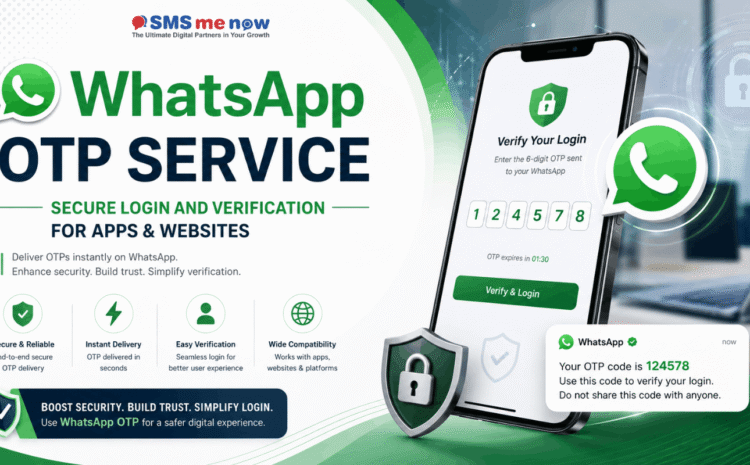
WhatsApp OTP Service: Secure Login and Verification for Apps & Websites
Quick Answer: What Is a WhatsApp OTP Service?
A WhatsApp OTP Service allows an application or website to send a unique, time-limited verification code to a user through WhatsApp.
The user enters the received code—or uses a supported autofill option—to verify control of the registered mobile number. Businesses can use WhatsApp OTP verification for account registration, login, password recovery, transaction confirmation, account changes and other identity-verification processes.
On the WhatsApp Business Platform, OTP messages are generally sent through approved authentication templates. Meta supports authentication-template experiences that can include copying the code, one-tap autofill or zero-tap verification, depending on the supported device, application configuration and approved implementation.
Introduction
Digital platforms must verify that users are genuine before allowing them to access accounts, submit sensitive information, complete transactions or change important settings.
Passwords alone may not always provide sufficient protection. Users may choose weak passwords, reuse the same password across multiple websites or accidentally expose their credentials through phishing and data breaches.
One-time passwords provide an additional verification step by requiring users to enter a temporary code delivered to a device or communication channel they control.
Traditionally, businesses have used SMS and email to deliver OTPs. However, WhatsApp has become another important verification channel because many users already use it regularly and recognize conversations from verified business accounts.
A WhatsApp OTP Service can help businesses deliver verification codes through a familiar messaging interface while supporting automated authentication workflows for websites, mobile applications, customer portals, e-commerce platforms and software systems.
However, OTP delivery is only one part of secure authentication. A proper implementation must also include:
- Secure OTP generation
- Short expiration periods
- Single-use validation
- Attempt limits
- Resend restrictions
- Session protection
- API security
- Fraud detection
- Secure storage
- Event logging
- Alternative verification options
- User-friendly error handling
This guide explains how WhatsApp OTP verification works, where it can be used, its benefits, implementation requirements and the security practices businesses should follow.
What Is an OTP?
OTP stands for One-Time Password.
It is a temporary code generated for one specific verification or authentication request. Unlike a permanent password, an OTP should become invalid after it is successfully used or after its defined expiration period ends.
A typical OTP may contain:
- Four digits
- Six digits
- Eight digits
- An alphanumeric combination
Six-digit numeric codes are commonly used because they offer a practical balance between usability and security. NIST guidance states that out-of-band authentication secrets should contain at least six decimal digits or an equivalent level of complexity, be accepted only once and be protected through rate limiting when the secret has limited entropy.
Example OTP message
“Your verification code is 482913. This code will expire in 5 minutes. Do not share this code with anyone.”
The exact message format should follow the approved WhatsApp authentication-template structure and the business’s security requirements.
What Is a WhatsApp OTP Service?
A WhatsApp OTP Service is a system that connects an app, website or backend server with the WhatsApp Business Platform to deliver authentication codes.
The service generally handles the following process:
- A user requests login, registration or verification.
- The application sends a request to its backend server.
- The backend generates or obtains a secure OTP.
- The backend sends the verification request through the WhatsApp API.
- WhatsApp delivers the approved authentication message.
- The user receives the code.
- The user enters or confirms the code.
- The backend validates the OTP.
- The system approves or rejects the requested action.
- The OTP is permanently invalidated after successful use or expiration.
WhatsApp provides dedicated authentication templates for sending one-time passwords and verification codes. These templates are different from general promotional or utility messages and are designed specifically for authentication-related communication.
How Does WhatsApp OTP Verification Work?
Step 1: The user enters a mobile number
The user may enter a mobile number while:
- Creating a new account
- Logging in
- Resetting a password
- Updating account details
- Confirming a transaction
- Verifying a booking
- Activating a service
The system should validate and normalize the number before sending the request.
For example, an Indian mobile number should be stored with the correct country code rather than relying on local formatting alone.
Step 2: The server creates a verification request
The frontend should never generate or verify the OTP independently.
Instead, it should send a secure request to the backend. The backend then:
- Validates the user request
- Checks rate limits
- Checks fraud indicators
- Generates a cryptographically secure code
- Creates an expiration timestamp
- Associates the code with the relevant user and action
- Stores only the required verification data
- Sends the approved WhatsApp authentication template
Step 3: WhatsApp delivers the code
Depending on the authentication-template format and supported user environment, the message may provide:
- A visible OTP
- A copy-code button
- A one-tap autofill button
- A zero-tap authentication experience
Copy-code authentication templates allow users to copy a one-time code from the WhatsApp message. One-tap autofill templates help supported applications fill the code with less manual effort, while zero-tap templates can support verification without requiring the user to leave the app in compatible implementations.
Step 4: The user submits the OTP
The application sends the submitted code to the backend over HTTPS.
OWASP recommends using HTTPS for REST APIs because it protects authentication credentials and sensitive tokens in transit while helping ensure server authenticity and message integrity.
Step 5: The server validates the OTP
The server should verify:
- The OTP matches the requested verification record.
- The code has not expired.
- The code has not already been used.
- The number of incorrect attempts is within the permitted limit.
- The verification request belongs to the current user journey.
- The request has not been cancelled or replaced.
- The user, account or device is not blocked.
- The action being approved matches the OTP’s original purpose.
Step 6: The OTP becomes invalid
After successful verification, the OTP must be invalidated immediately.
NIST guidance requires an out-of-band authentication secret to be accepted only once during its validity period. This protects against replay attacks in which an attacker attempts to reuse a previously accepted code.
WhatsApp OTP Authentication Template Options
WhatsApp authentication templates are specifically intended for verification and identity-authentication messages.
1. Copy-Code Authentication
A copy-code template displays the OTP and provides a button that helps users copy it.
The user can then return to the app or website and paste the code.
Suitable for:
- Websites
- Mobile applications
- Cross-device login
- Account recovery
- Situations where automatic verification is unavailable
2. One-Tap Autofill Authentication
A one-tap autofill template can allow supported applications to fill the received OTP after the user taps the authentication button.
Potential advantages:
- Less typing
- Fewer input errors
- Faster verification
- Better mobile experience
- Reduced abandonment
3. Zero-Tap Authentication
Zero-tap authentication can allow supported users to complete verification without manually copying or typing the code.
This can create a smoother experience, but it requires a compatible application setup and must follow Meta’s technical and policy requirements.
Availability and behaviour can depend on the operating system, WhatsApp client, app configuration, business setup and current platform requirements. Businesses should design a manual code-entry fallback even when using autofill or zero-tap options.
Common Uses of WhatsApp OTP Service
1. New Account Registration
A business can verify a mobile number before creating a customer account.
This helps reduce:
- Fake registrations
- Incorrect phone numbers
- Duplicate profiles
- Unreachable users
- Automated account creation
Example
A user creates an account on an e-commerce website. Before activating the account, the system sends an OTP through WhatsApp. The account is activated only after successful verification.
2. Secure Login
WhatsApp OTP can be used as:
- A passwordless login method
- A second step after password entry
- A step-up verification method for suspicious logins
- An alternative login channel
Example
A user enters a registered phone number. The system sends a code through WhatsApp, and successful verification creates an authenticated session.
3. Two-Factor Authentication
WhatsApp OTP may be combined with another authentication factor, such as a password.
The user first enters something they know—the password—and then verifies access to something they possess—their registered device or messaging account.
However, an OTP delivered through an out-of-band channel is not considered phishing-resistant. Higher-risk systems should also consider phishing-resistant options such as passkeys or properly implemented cryptographic authenticators.
5. Password Reset
Before allowing a password reset, the platform can verify the registered phone number through WhatsApp.
The OTP should be associated only with the password-reset request and must not be accepted for another purpose, such as login or payment confirmation.
6. Mobile Number Verification
Businesses can verify whether a user controls the phone number supplied during:
- Registration
- Checkout
- Lead submission
- Loan applications
- Appointment booking
- Membership enrolment
- Service activation
7. Transaction Confirmation
WhatsApp OTP can be used to verify sensitive operations such as:
- Placing a high-value order
- Confirming a service booking
- Approving a withdrawal request
- Changing payout details
- Adding a beneficiary
- Confirming an important account action
For financial or high-risk transactions, the OTP should be bound to the specific transaction rather than being treated as a general login code.
8. Account Detail Changes
A verification code may be required before changing:
- Registered mobile number
- Email address
- Password
- Delivery address
- Account recovery information
- Payment details
- Security settings
9. Employee or Partner Portal Access
Companies can use OTP verification for:
- Employee dashboards
- Dealer portals
- Distributor systems
- Vendor management platforms
- Franchise portals
- Field-sales applications
- Internal approval systems
10. Appointment and Booking Verification
Hospitals, hotels, salons, educational institutions and service businesses can verify bookings through WhatsApp OTP.
11. Delivery Confirmation
An OTP may be generated when an order is delivered. The customer shares or enters the code only after receiving the product.
Industries That Can Use WhatsApp OTP Verification
A WhatsApp OTP Service can support many industries, including:
- E-commerce
- Healthcare
- Education
- Banking and financial technology
- Insurance
- Travel and hospitality
- Real estate
- Logistics and delivery
- Software-as-a-Service platforms
- Government service portals
- Professional service companies
- Online marketplaces
- Subscription businesses
- Automotive services
- Customer-support portals
- Membership platforms
Each industry should evaluate its security risk, regulatory requirements and alternative authentication needs before selecting WhatsApp OTP as a primary or secondary verification channel.
Benefits of WhatsApp OTP Service
1. Familiar User Experience
Many users already understand how to open and read WhatsApp messages. This can make the verification experience easier to understand.
2. Faster Verification Journey
Copy-code, autofill and zero-tap options can reduce the effort required to complete verification on supported devices.
3. Reduced Manual Input
Automatic or assisted code entry can reduce mistakes caused by users typing an incorrect OTP.
4. Branded Business Communication
OTP messages can come from the organization’s WhatsApp Business presence rather than appearing as an unstructured message from an unfamiliar sender.
5. Suitable for Multiple Authentication Scenarios
The same integration can support:
- Registration
- Login
- Account recovery
- Step-up authentication
- Transaction verification
- Profile changes
Each scenario should still have its own verification purpose and security rules.
6. Automated API Integration
Businesses can connect WhatsApp OTP delivery with:
- Web applications
- Android applications
- iOS applications
- CRM systems
- ERP software
- E-commerce platforms
- Customer portals
- Custom backend systems
7. Improved Mobile Experience
Users can receive and complete verification from a mobile device without depending solely on SMS.
8. Alternative Verification Channel
WhatsApp can be offered alongside other channels such as:
- Authenticator apps
- Passkeys
- SMS
- Voice calls
- Recovery codes
- Support-assisted verification
An alternative method is important when WhatsApp is unavailable, the user changes devices or message delivery is delayed.
9. Centralized Monitoring
A properly integrated service can track:
- OTP requests
- Message status
- Delivery status
- Verification success
- Failed attempts
- Expired requests
- Resend activity
- Fraud indicators
10. Scalable Verification
API-based delivery allows businesses to automate verification for growing numbers of users without manually sending individual codes.
WhatsApp OTP vs SMS OTP
Both methods have advantages and limitations.
WhatsApp OTP
Potential advantages include:
- Familiar conversation interface
- Business branding
- Copy-code functionality
- Supported autofill or zero-tap experiences
- API-based message tracking
- Encrypted instant-messaging delivery path
Potential limitations include:
- The user must have access to WhatsApp.
- Internet connectivity may be required.
- Device and feature compatibility may vary.
- A fallback channel may still be necessary.
- Platform policies and template approvals must be followed.
SMS OTP
Potential advantages include:
- Works on most mobile phones
- Does not normally require a messaging application
- May function without mobile internet
- Widely used for legacy systems
Potential limitations include:
- Sender identity may be less clear.
- Delivery can vary by network and region.
- SMS-based verification may be exposed to SIM-swap, number-porting and interception risks.
- User experience may require manual copying.
NIST advises organizations using telephone-network-based out-of-band authentication to consider risk indicators such as SIM changes, device swaps, number porting and abnormal behaviour.
Recommended Approach
Businesses do not always need to choose only one channel.
A resilient authentication system may use:
- WhatsApp as the preferred channel
- SMS or voice as a fallback
- Authenticator applications or passkeys for stronger account security
- Recovery codes for account recovery
- Manual review for exceptional situations
Is WhatsApp OTP Completely Secure?
No authentication method should be described as completely secure.
WhatsApp OTP can improve account verification, but it can still be affected by:
- Phishing
- Social engineering
- Device compromise
- Stolen or unlocked phones
- Malware
- Account takeover
- Number reassignment
- API-key exposure
- OTP brute-force attempts
- Session hijacking
- Poor backend implementation
- Insecure account-recovery processes
NIST explicitly states that OTP and out-of-band authentication are not phishing-resistant. This means an attacker may trick a user into entering or sharing the OTP on a fraudulent interface.
For sensitive systems, WhatsApp OTP should be one part of a broader security strategy rather than the only protective control.
Security Best Practices for WhatsApp OTP Integration
1. Generate OTPs Securely
Use a cryptographically secure random-number generator.
Avoid:
- Sequential codes
- Predictable timestamps
- Basic random functions not designed for security
- Reusing codes between users
- Hard-coded verification codes
2. Use At Least Six Digits
A six-digit code provides one million possible combinations.
NIST allows authentication secrets containing at least six decimal digits, provided suitable controls such as rate limiting are implemented.
Higher-risk systems may use longer codes or stronger authentication methods.
3. Keep the Validity Period Short
An OTP should remain valid only long enough for normal delivery and entry.
A common implementation may use a validity period of two to five minutes, depending on the delivery channel and user experience. The exact period should be selected according to the system’s risk level and expected delivery conditions.
NIST requires out-of-band authentication to be completed within ten minutes at most, but shorter application-specific expiration periods are generally preferable where practical.
4. Make Every OTP Single-Use
After successful verification:
- Mark the code as consumed.
- Reject all future attempts using the same code.
- End or invalidate the verification record.
- Log the successful event.
5. Do Not Store Plain-Text OTPs
Prefer storing a secure hash of the OTP rather than the readable code.
If the verification database is exposed, plain-text OTPs could be used before they expire.
6. Limit Incorrect Attempts
For example:
- Maximum five failed attempts per verification request
- Temporary blocking after repeated failures
- Stronger restrictions after suspicious behaviour
Generating a new OTP should not automatically remove all failed-attempt history. NIST specifically states that generating a new authentication secret must not reset the failed-authentication count.
7. Restrict OTP Resends
Prevent users or attackers from repeatedly requesting codes.
A resend policy may include:
- Thirty- to sixty-second resend waiting period
- Maximum requests per phone number
- Maximum requests per IP address
- Maximum requests per device
- Temporary blocking after excessive activity
8. Bind the OTP to a Specific Purpose
An OTP generated for password reset should not work for:
- Login
- Payment approval
- Email change
- Mobile-number change
- Account deletion
Store a verification purpose such as:
- LOGIN
- REGISTER
- RESET_PASSWORD
- CHANGE_PHONE
- CONFIRM_PAYMENT
9. Bind the OTP to the Verification Session
Create a unique verification-session ID.
The server should verify that:
- The OTP belongs to that session.
- The session belongs to the current action.
- The correct phone number is being verified.
- The session has not expired.
- The session has not already succeeded.
10. Use HTTPS Everywhere
All frontend-to-backend and server-to-server communication should use HTTPS.
Never send OTPs, API tokens or authentication credentials through unencrypted endpoints.
11. Protect API Credentials
WhatsApp access tokens and provider credentials should be stored in:
- Secure environment variables
- A managed secrets service
- Encrypted deployment settings
- Restricted server-side configuration
Never place secret API credentials inside:
- Frontend JavaScript
- Mobile application bundles
- Public Git repositories
- Browser-local storage
- Screenshots
- Client-accessible configuration files
12. Use Generic Error Messages
Avoid revealing whether a mobile number is registered.
Instead of:
“No account exists for this mobile number.”
Use:
“If an eligible account is associated with this number, a verification code will be sent.”
This reduces the risk of account enumeration.
13. Secure the Authenticated Session
Successful OTP verification should not result in a weak or permanent session.
The system should use:
- Secure session IDs
- HttpOnly cookies
- Secure cookie flags
- SameSite protection
- Session expiration
- Session rotation after login
- CSRF protection where relevant
- Device and activity monitoring
14. Detect Suspicious Behaviour
Monitor for:
- OTP requests from many phone numbers using one IP
- Many requests for one account
- Multiple incorrect codes
- Unusual country changes
- Device changes
- High-frequency resend requests
- Impossible travel patterns
- Known malicious IP addresses
- Automated browser activity
15. Never Ask Users to Share OTPs
The authentication message should clearly state that the code must not be shared with anyone.
Customer-support employees should never ask users to reveal their complete OTP.
16. Provide Stronger Authentication for High-Risk Actions
For financial accounts, administration panels or sensitive data, consider:
- Passkeys
- Hardware security keys
- Authenticator applications
- Device-bound credentials
- Biometric activation
- Risk-based step-up authentication
NIST requires phishing-resistant options at higher authentication-assurance levels because OTP by itself is not phishing-resistant.
Recommended WhatsApp OTP User Experience
A secure system should also be easy to use.
OTP Request Screen
Include:
- Country-code selector
- Mobile-number field
- Clear “Send Code” button
- Privacy explanation
- Alternative verification option
OTP Entry Screen
Include:
- Six separate input positions or one accessible code field
- Automatic cursor movement
- Paste support
- Autofill support
- Resend countdown
- Change-number option
- Visible expiration guidance
- Clear error messages
- Support option
Recommended Error Messages
Invalid code
“The verification code is incorrect. Please check the code and try again.”
Expired code
“This verification code has expired. Please request a new code.”
Too many attempts
“Too many incorrect attempts were made. Please wait before trying again.”
Delivery delay
“The message may take a moment to arrive. You can request a new code after the countdown ends.”
Avoid showing technical server errors directly to the user.
How Much Does a WhatsApp OTP Service Cost?
There is no single fixed cost for every implementation.
The total cost may include:
- WhatsApp authentication-message charges
- Business Solution Provider fees
- Platform subscription charges
- API integration costs
- Backend development
- Template setup
- Mobile or website development
- Database and hosting
- Security monitoring
- Maintenance and technical support
- Fallback SMS charges
- Fraud-prevention services
The final cost may depend on:
- Country
- Verification volume
- Provider
- Message category
- Existing software architecture
- Required security controls
- Number of applications
- Reporting requirements
- Support level
Businesses should obtain a customized quotation based on expected monthly OTP volume and integration requirements.
WhatsApp OTP Implementation Checklist
Before launching, verify that:
- The WhatsApp Business account is properly configured.
- A dedicated business number is available.
- Authentication templates are approved.
- The backend generates secure random OTPs.
- OTPs are stored securely.
- Each OTP has a short expiration period.
- Every OTP is accepted only once.
- Incorrect attempts are limited.
- Resend requests are rate-limited.
- OTPs are bound to a specific action.
- API credentials are stored securely.
- HTTPS is enabled.
- Webhook authenticity is validated.
- Session security is implemented.
- Generic error messages are used.
- Fraud monitoring is active.
- Audit logs are protected.
- A fallback verification method is available.
- Users are warned not to share OTPs.
- The complete process has been security-tested.
Frequently Asked Questions
1. What is a WhatsApp OTP Service?
A WhatsApp OTP Service sends temporary verification codes to users through WhatsApp. It can be connected to websites, mobile applications and software systems for login, registration, password reset and account verification.
2. Can OTPs be sent through WhatsApp?
Yes. Businesses can send one-time verification codes through approved WhatsApp authentication templates using the WhatsApp Business Platform.
3. Is WhatsApp OTP secure?
WhatsApp OTP can provide a useful verification layer when implemented with secure code generation, short expiration, single-use validation, rate limits and protected APIs. However, OTP authentication is not phishing-resistant and should not be treated as completely secure.
4. Can WhatsApp OTP be used for website login?
Yes. A website can send a verification request through its backend and allow the user to enter the received WhatsApp code.
5. Can WhatsApp OTP be integrated into mobile apps?
Yes. Android and iOS applications can integrate with a secure backend that sends and verifies WhatsApp OTPs.
6. What are WhatsApp authentication templates?
Authentication templates are dedicated WhatsApp message templates used for sending one-time passwords and verification codes. They may support copy-code, one-tap autofill or zero-tap experiences depending on the implementation.
7. What is a copy-code authentication template?
It is an authentication message containing an OTP and a button that allows the user to copy the code before pasting it into an app or website.
8. What is one-tap autofill?
One-tap autofill allows supported users to tap a button in the WhatsApp authentication message and fill the OTP into the associated application with less manual input.
9. What is zero-tap WhatsApp authentication?
Zero-tap authentication can allow supported applications to verify the user without requiring manual code entry. It requires a compatible technical setup and compliance with current platform requirements.
10. How long should a WhatsApp OTP remain valid?
The code should remain valid only for a short period. Many implementations use two to five minutes, depending on risk and delivery conditions. It must be invalidated after successful use or expiration.
11. How many digits should an OTP contain?
At least six decimal digits are commonly recommended for out-of-band authentication, combined with failed-attempt limits and other security controls.
12. Can the same OTP be used twice?
No. A properly implemented OTP must be accepted only once. Any later attempt using the same code should be rejected.
13. Is WhatsApp OTP better than SMS OTP?
WhatsApp may provide a more interactive and branded experience, while SMS may reach users without internet access or WhatsApp. Many businesses use WhatsApp as the preferred channel and SMS as a fallback.
14. Can WhatsApp OTP replace passwords?
It can be used for passwordless login, but the suitability depends on the application’s risk level. Sensitive systems may require stronger multi-factor or phishing-resistant authentication.
15. Can WhatsApp OTP be used for two-factor authentication?
Yes. It can be used as an additional possession-based verification step after the user enters a password. However, it is not a phishing-resistant authentication method.
Conclusion
A WhatsApp OTP Service can provide a convenient and scalable way to verify users across applications and websites.
It can support:
- Account registration
- Secure login
- Password recovery
- Two-factor authentication
- Mobile-number verification
- Transaction confirmation
- Profile changes
- Booking verification
- Delivery confirmation
The most important part of the implementation is not simply sending a code. The complete authentication system must generate codes securely, limit attempts, prevent reuse, protect API credentials, monitor fraud and create secure user sessions.
WhatsApp OTP should also be used according to the risk level of the application. For general verification and account access, it can offer an effective user experience. For highly sensitive systems, businesses should combine it with stronger authentication options, device controls and risk-based security measures.
A secure and user-friendly OTP journey can reduce verification friction while protecting customer accounts and business systems.
Start Your WhatsApp OTP Integration
Protect your application or website with a professionally configured WhatsApp OTP verification solution.
Book a consultation through our website to discuss:
- WhatsApp OTP API integration
- Authentication-template setup
- Website and mobile-app integration
- Secure backend development
- Copy-code and autofill implementation
- Login and registration workflows
- Passwordless authentication
- Two-factor authentication
- Fallback SMS integration
- Fraud prevention
- Delivery monitoring
- Technical support
Our team can evaluate your business requirements and recommend a suitable verification workflow for your website, application or software platform.
Disclaimer
This article is provided for general educational and informational purposes only. It does not constitute legal, regulatory, cybersecurity or compliance advice.
WhatsApp Business Platform features, authentication-template requirements, pricing, availability and technical specifications may change. Businesses should review the latest official Meta and WhatsApp documentation before starting an integration.
No OTP channel can guarantee complete protection against phishing, social engineering, device compromise, account takeover or backend vulnerabilities. Organizations should conduct an appropriate security assessment and select authentication controls according to the sensitivity of their services.
Businesses operating in regulated industries such as healthcare, finance, insurance, education or government services should also evaluate applicable privacy, identity-verification, data-protection and cybersecurity requirements.
Actual message delivery, verification performance and cost may vary according to country, network conditions, provider, device compatibility, user settings, implementation quality and WhatsApp policies.
For a solution designed around your technical environment and business needs, book a consultation through our website before launching your WhatsApp OTP service.