
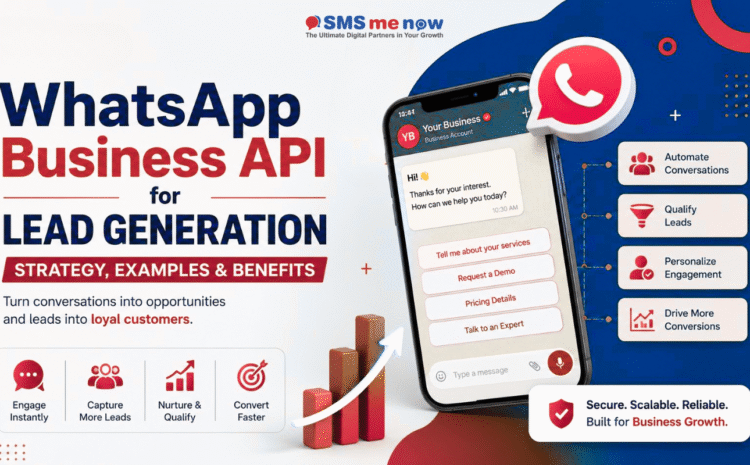
WhatsApp Business API for Lead Generation: Strategy, Examples & Benefits
Quick Answer: How Does WhatsApp Business API Help Generate Leads?
WhatsApp Business API helps businesses generate, qualify, nurture and convert leads through automated yet personalized conversations. Businesses can connect Click-to-WhatsApp ads, website buttons, QR codes, landing pages, CRM systems, chatbots and WhatsApp Flows to create a complete lead-generation funnel.
A potential customer can click an advertisement, start a WhatsApp conversation, answer qualification questions, receive relevant information, book an appointment and connect with a sales representative without repeatedly switching between platforms.
Meta currently refers to its enterprise messaging solution as the WhatsApp Business Platform, although many businesses and users still call it the WhatsApp Business API. The platform is primarily designed for medium-sized and large businesses that require programmatic messaging, automation, integrations and communication at scale.
Introduction
Lead generation has changed significantly in recent years. Potential customers no longer want to complete lengthy forms and wait several hours or days for a response. They expect fast, convenient and personalized communication.
This is where the WhatsApp Business API for lead generation becomes valuable.
Instead of sending users through multiple website pages, forms and emails, businesses can allow prospects to begin a conversation directly on WhatsApp. The conversation can then be used to understand the prospect’s needs, collect contact details, recommend suitable services and schedule the next action.
WhatsApp can support the complete customer journey, including:
- Lead acquisition
- Lead qualification
- Product or service discovery
- Appointment booking
- Consultation scheduling
- Sales follow-ups
- Document collection
- Payment assistance
- Order updates
- Customer support
- Repeat purchases
WhatsApp’s official business solutions are designed to help organizations improve marketing, sales, customer engagement and support through conversational experiences.
However, simply obtaining API access does not guarantee more leads. Successful WhatsApp lead generation requires a well-planned strategy, proper customer consent, suitable automation, CRM integration, qualified sales representatives and continuous performance measurement.
This guide explains how to build that strategy.
What Is the WhatsApp Business API?
The WhatsApp Business API, now commonly presented as the WhatsApp Business Platform, enables businesses to integrate WhatsApp messaging with their websites, applications, CRM systems, customer-support platforms and marketing tools.
Unlike the standard WhatsApp Business App, the API is designed for businesses that need to manage conversations at scale.
It can support:
- Multiple sales and support agents
- Automated chatbot conversations
- CRM integration
- Lead assignment
- Message templates
- Interactive messages
- WhatsApp Flows
- Webhooks and API integrations
- Campaign tracking
- Customer segmentation
- Automated notifications
- Conversation analytics
- Business-initiated communication after valid consent
Meta describes the WhatsApp Business Platform as suitable for medium and large businesses that require programmatic access and scalable customer communication.
The Cloud API is now the preferred implementation approach. Meta ended support for the previous On-Premises API solution on October 23, 2025.
WhatsApp Business App vs WhatsApp Business API
The WhatsApp Business App and WhatsApp Business API serve different business requirements.
WhatsApp Business App
The Business App is generally suitable for:
- Small businesses
- Owner-managed communication
- Limited daily enquiries
- One or a few users
- Manual customer conversations
- Basic catalogues and quick replies
WhatsApp Business API
The API or Business Platform is more suitable for:
- Medium and large businesses
- High enquiry volumes
- Multiple departments or branches
- Multiple sales representatives
- Automated lead qualification
- CRM and ERP integration
- Chatbot-based conversations
- Performance tracking
- Structured follow-up campaigns
- Advanced lead-routing requirements
The Business App is useful for manually handling a smaller number of conversations. The API becomes more valuable when a company needs automation, integration and scalable team access.
Why Use WhatsApp Business API for Lead Generation?
WhatsApp is not only a customer-support channel. When used strategically, it can become an acquisition, qualification and conversion channel.
1. Customers can begin conversations instantly
Traditional lead-generation forms normally require users to enter details and wait for a response. A WhatsApp entry point allows them to initiate a conversation immediately.
This reduces friction between initial interest and direct communication.
2. Leads can be qualified automatically
A chatbot or WhatsApp Flow can ask questions such as:
- Which service are you interested in?
- What is your location?
- What is your estimated budget?
- When do you need the service?
- Are you purchasing for personal or business use?
- Would you like a call, demonstration or quotation?
The responses can be used to classify the prospect as:
- High-intent lead
- Medium-intent lead
- Information-seeking lead
- Existing customer
- Support request
- Unqualified enquiry
3. Conversations can be personalized
Businesses can personalize communication according to:
- Selected product
- Required service
- City or service location
- Budget range
- Purchase timeline
- Lead source
- Previous interaction
- Customer preferences
- Current funnel stage
Personalization makes the conversation more relevant and helps the sales representative understand the lead before joining the chat.
4. Leads can be assigned to the correct team
After qualification, a lead can be routed automatically to:
- A regional sales representative
- A product specialist
- An admissions counsellor
- A real-estate consultant
- A healthcare appointment team
- A service technician
- A customer-support department
- A branch-specific employee
This reduces internal delays and prevents enquiries from reaching the wrong department.
5. The complete journey can happen within WhatsApp
Depending on the business and integration, users can:
- Browse information
- Select a product or service
- Submit their requirements
- Book an appointment
- Request a quotation
- Upload documents
- Receive payment instructions
- Speak with a representative
- Get confirmation messages
WhatsApp Flows can be used to create structured, form-like experiences inside WhatsApp for lead capture and qualification.
How to Generate Leads Using WhatsApp Business API
A successful system usually combines multiple entry points rather than depending on a single campaign.
1. Use Click-to-WhatsApp Ads
Click-to-WhatsApp ads appear across supported Meta placements and encourage users to start a WhatsApp conversation with a business.
A user sees the advertisement, clicks the call-to-action and enters a pre-configured WhatsApp conversation.
Meta positions ads that click to WhatsApp as a way to support lead generation and customer engagement through Facebook and Instagram advertising.
Recommended ad journey
- The customer sees a relevant advertisement.
- The customer clicks the WhatsApp button.
- A welcome message appears.
- The chatbot asks two to five qualification questions.
- The answers are saved in the CRM.
- The lead receives suitable information.
- A sales representative takes over.
- The next action is scheduled.
Example welcome message
“Hello! Thank you for contacting us. Please select the service you are interested in, and we will help you with the right information.”
Suggested buttons:
- Website Development
- Digital Marketing
- WhatsApp API
- Mobile App Development
- Talk to an Expert
Avoid opening with a long paragraph. The first message should help the user understand what to do next.
2. Add a WhatsApp Button to Your Website
A WhatsApp button can be added to:
- Homepage
- Product pages
- Service pages
- Pricing pages
- Contact page
- Landing pages
- Blog articles
- Checkout page
- Appointment page
- Exit-intent section
Instead of using a generic message such as “Hi,” create page-specific prefilled messages.
Example for a website-development page
“Hello, I am interested in website development. Please share the process and estimated cost.”
Example for a hospital website
“Hello, I would like to book a consultation. Please share the available appointment timings.”
Example for a real-estate website
“Hello, I am interested in this property. Please share its price, location and site-visit availability.”
Page-specific messages provide valuable context to the sales team and improve lead classification.
3. Use WhatsApp Flows for Lead Qualification
WhatsApp Flows enable businesses to collect structured information inside WhatsApp. A Flow can function like a short interactive form without forcing the user to open an external webpage.
A lead-generation Flow can collect:
- Name
- Email address
- City
- Service requirement
- Product category
- Budget range
- Preferred appointment date
- Purchase timeline
- Property type
- Education level
- Team size
- Preferred callback time
Official WhatsApp resources recommend using Flows and structured conversational journeys to collect information and qualify potential customers.
Keep the Flow short
Do not ask 15 questions before allowing the user to speak with someone.
A practical qualification Flow generally includes:
- One identification question
- Two or three requirement questions
- One intent or timeline question
- One preferred next-action question
Additional information can be collected after the lead has shown sufficient interest.
4. Use QR Codes for Offline Lead Generation
WhatsApp QR codes can connect offline marketing with digital conversations.
They can be placed on:
- Brochures
- Product packaging
- Shop counters
- Business cards
- Exhibition stalls
- Event banners
- Restaurant tables
- Property boards
- College advertisements
- Hospital reception desks
- Vehicle advertisements
- Newspaper advertisements
Each QR code can contain a campaign-specific message.
For example:
“Hello, I scanned your exhibition QR code and would like to know more about your business solutions.”
This makes it easier to identify the source of the lead.
5. Connect Landing Pages to WhatsApp
A landing page can educate the user before starting the conversation.
An effective WhatsApp lead-generation landing page should contain:
- A benefit-driven headline
- A short explanation
- Product or service advantages
- Trust indicators
- Testimonials or case studies
- Frequently asked questions
- A clear WhatsApp call-to-action
- A mobile-friendly layout
The call-to-action should describe the result the user will receive.
Instead of:
“Chat With Us”
Use:
- Get a Free Consultation
- Check Service Availability
- Request a Custom Quotation
- Book Your Appointment
- Speak With a Specialist
- Get Product Recommendations
6. Collect Valid Customer Consent
Consent is an essential part of WhatsApp marketing.
Businesses should clearly communicate:
- Which business will send messages
- What type of messages the user may receive
- How frequently communication may occur
- How the user can stop future messages
WhatsApp emphasizes that messages should be expected, relevant and timely. Businesses must also comply with applicable laws and platform policies when collecting consent.
A user beginning a conversation does not automatically mean the business should send unlimited promotional messages in the future.
Example consent message
“Would you like to receive service updates, useful tips and occasional offers from our business on WhatsApp? Select ‘Yes’ to subscribe. You can opt out at any time.”
Store consent records in your CRM, including:
- Date
- Time
- Source
- Consent wording
- Selected preference
- Phone number
- Opt-out status
7. Integrate WhatsApp With Your CRM
CRM integration allows businesses to manage WhatsApp leads systematically.
Without integration, conversations may remain scattered across inboxes, making it difficult to track ownership, follow-ups and conversion.
A CRM-connected setup can store:
- Contact information
- Lead source
- Campaign name
- Selected service
- Qualification answers
- Assigned employee
- Conversation history
- Lead stage
- Follow-up date
- Quotation status
- Appointment status
- Conversion value
- Opt-in status
Official WhatsApp guidance recommends backend and CRM integration so that captured leads can move automatically into the business’s existing systems.
Suggested lead stages
- New Enquiry
- Qualification Started
- Qualified
- Sales Assigned
- Consultation Booked
- Proposal Shared
- Follow-Up Required
- Negotiation
- Converted
- Lost
- Future Nurture
8. Combine Automation With Human Support
Automation should make the conversation faster, not make the customer feel trapped.
Use automation for:
- Greeting users
- Collecting basic details
- Answering common questions
- Sharing brochures
- Checking availability
- Booking appointments
- Categorizing enquiries
- Assigning representatives
- Sending confirmations
Use human representatives for:
- Complex questions
- Custom quotations
- Negotiations
- Sensitive concerns
- High-value purchases
- Technical consultations
- Complaint resolution
- Final conversion discussions
Always include an option such as:
- Talk to an Expert
- Speak With Our Team
- Request a Callback
- Connect With an Agent
Recommended WhatsApp Lead-Generation Funnel
A structured funnel can contain the following stages.
Stage 1: Attract
Bring potential customers into WhatsApp through:
- Meta ads
- Google Ads landing pages
- Organic social media
- Website buttons
- QR codes
- Email campaigns
- Offline advertisements
- Referral campaigns
Stage 2: Welcome
Send a short message that:
- Introduces the business
- Confirms the user’s request
- Explains the next step
- Displays clear options
Stage 3: Qualify
Ask only the questions required to determine:
- Requirement
- Suitability
- Budget
- Location
- Timeline
- Intent
Stage 4: Segment
Classify leads based on their answers.
Example:
- Hot: Ready within seven days
- Warm: Interested within one to three months
- Cold: Researching options
- Unqualified: Outside service area or eligibility criteria
Stage 5: Educate
Send content relevant to the lead’s requirement, such as:
- Product brochure
- Service overview
- Price range
- Case study
- Customer testimonial
- Frequently asked questions
- Demonstration video
- Portfolio
- Comparison guide
Stage 6: Convert
Encourage a specific next action:
- Book a call
- Schedule a demonstration
- Visit the office
- Book an appointment
- Request a quotation
- Pay a booking amount
- Complete an application
Stage 7: Nurture
Where valid consent exists, nurture interested leads through approved and relevant communication.
Examples include:
- Consultation reminders
- Requested product updates
- Educational content
- Follow-up messages
- Limited offers
- Availability alerts
- Appointment confirmations
Business-initiated outreach generally requires valid consent and suitable message templates. WhatsApp supports customizable templates that may include text, media and interactive components.
Practical WhatsApp Lead-Generation Examples
Example 1: Real-Estate Business
Entry point
A Facebook or Instagram advertisement promotes a residential project.
Qualification questions
- Which property configuration do you need?
- What is your preferred location?
- What is your approximate budget?
- When are you planning to purchase?
- Would you like to schedule a site visit?
Automation result
The CRM receives the answers and assigns the lead to the correct property consultant.
Conversion action
“Your site visit is available on Saturday at 11:00 AM or 3:00 PM. Please select your preferred time.”
Example 2: Education Institute
Entry point
A student clicks a course advertisement and starts a WhatsApp conversation.
Questions
- Which course are you interested in?
- What is your current qualification?
- Which city are you from?
- When would you like to start?
- Would you like a counsellor to call you?
Follow-up
The system sends:
- Course brochure
- Eligibility details
- Fee information
- Admission process
- Counselling appointment link
An official WhatsApp case study describes how Kerala-based education platform Learnwise used WhatsApp Flows with ads that click to WhatsApp to collect structured qualification information. Learnwise reported four times more qualified leads, a 60% reduction in employee qualification time and a 31% reduction in cost per qualified lead during its test. These were self-reported campaign results and are not guaranteed for other businesses.
Example 3: Healthcare Provider
Entry point
A patient visits a treatment page and selects “Book an Appointment on WhatsApp.”
Questions
- Which department do you need?
- Is this your first appointment?
- What is your preferred date?
- What is your preferred time?
- Would you like an in-person or online consultation?
Automation result
The system checks availability and passes the request to the appointment team.
Important consideration
Healthcare organizations should avoid collecting unnecessary sensitive information through automated marketing conversations. Access controls, data handling, consent and local regulations must be considered carefully.
Example 4: Digital Marketing Agency
Entry point
A business owner clicks an advertisement offering a marketing consultation.
Qualification questions
- Which service do you need?
- What is your business category?
- Do you currently have a website?
- What is your monthly advertising range?
- What is your primary goal?
- When would you like to begin?
Segmentation
The system separates enquiries into:
- SEO leads
- Website-development leads
- Google Ads leads
- Social media leads
- Software-development leads
- WhatsApp API leads
A specialist can then handle each lead.
Example 5: E-Commerce Business
A customer clicks an advertisement for a product category and enters WhatsApp.
The chatbot can:
- Ask the customer’s preferences
- Recommend products
- Share images or catalogues
- Check delivery availability
- Answer product questions
- Provide a purchase link
- Escalate to a sales representative
With permission, the business can later send relevant updates, recommendations or cart reminders according to applicable policies.
Example 6: B2B Service Company
A business can use WhatsApp for high-value B2B enquiries.
Qualification questions may include:
- Company name
- Industry
- Team size
- Required solution
- Existing software
- Approximate implementation timeline
- Decision-maker availability
The lead can then be assigned to an account manager for a discovery call.
Official Business Examples
Real-world results depend on targeting, offer, industry, sales process and implementation quality. However, official WhatsApp case studies illustrate how structured qualification can improve lead handling.
Engelife
A Brazilian real-estate company used WhatsApp Flows with ads that click to WhatsApp to collect details and automate lead qualification. The company reported a 26-percentage-point improvement in qualification rate, a 37% reduction in cost per qualified lead and a 12-minute reduction in average qualification time. The results were self-reported and should not be treated as guaranteed outcomes.
Braip
Technology company Braip used ads that click to WhatsApp with lead optimization and an automated conversation containing qualification questions. It reported a 45% increase in qualified leads and a 30% reduction in cost per lead compared with its usual approach during the tested campaign.
These examples demonstrate an important principle: the real value does not come from opening a WhatsApp chat alone. It comes from combining the advertisement, structured questions, lead scoring, CRM integration and timely human follow-up.
Major Benefits of WhatsApp Business API for Lead Generation
Faster initial response
Automated greetings and qualification questions can engage users immediately, including outside standard office hours.
Better lead qualification
Structured questions allow the sales team to prioritize prospects with stronger intent.
Reduced repetitive work
Automation can answer common questions and collect information before involving an employee.
Improved lead distribution
Enquiries can be assigned according to product, location, language or availability.
Centralized conversation management
Multiple representatives can work through a managed inbox rather than sharing a personal device.
Personalized communication
Content can be tailored according to the user’s selected requirement and funnel stage.
CRM visibility
Marketing and sales teams can track the source, stage, owner and outcome of each enquiry.
Measurable campaign performance
Businesses can monitor messaging activity and combine platform data with CRM and advertising results. WhatsApp Manager provides messaging information such as messages sent, received and delivered.
Better continuity
The customer can return to the same conversation without explaining the complete requirement again.
Scalable operations
The system can handle more enquiries without requiring every conversation to begin manually.
WhatsApp Lead Qualification Questions
The ideal questions depend on the business.
For service businesses
- Which service do you require?
- What challenge are you trying to solve?
- Where is your business located?
- When do you need the service?
- What is your approximate budget?
- Would you like a consultation?
For product businesses
- Which product are you interested in?
- What quantity do you require?
- Where should it be delivered?
- Is this for personal or commercial use?
- When do you need the product?
- Would you like a quotation?
For education businesses
- Which course are you interested in?
- What is your current qualification?
- Which admission session are you considering?
- What is your preferred learning mode?
- Would you like counselling?
For real estate
- Are you looking to buy or rent?
- What type of property do you need?
- Which location do you prefer?
- What is your budget?
- When do you plan to move?
- Would you like a site visit?
Do not ask every question at once. Use progressive qualification to keep the experience conversational.
Best Practices for WhatsApp Lead Generation
Keep the first interaction simple
Give users two to five clear options.
Set expectations
Tell the customer whether they are speaking with an automated assistant or a representative.
Respond quickly
High-intent prospects may contact multiple businesses. Delayed replies can reduce conversion opportunities.
Ask relevant questions only
Every question should help with qualification, personalization or the next action.
Use simple language
Avoid technical terms unless the audience understands them.
Personalize the journey
Do not send the same response to every user.
Provide human assistance
Allow users to exit automation and reach an employee.
Maintain consent records
Keep reliable records of customer preferences and opt-out requests.
Avoid excessive promotions
Sending frequent or irrelevant communication may cause users to block or report the business.
Use approved templates appropriately
Business-initiated communication should follow current template, consent and messaging requirements.
Test the complete workflow
Before launching, test:
- Every button
- Every question
- Incorrect answers
- Empty responses
- Agent handover
- CRM data storage
- Duplicate leads
- Opt-out handling
- Appointment confirmation
- Mobile usability
Review platform policies regularly
WhatsApp features, pricing and policies can change. Businesses should review the current official documentation before launching or modifying campaigns.
Common Mistakes to Avoid
Sending users into an unstructured chat
A generic “How can we help?” message may create unnecessary work when running high-volume advertising campaigns.
Asking too many questions
Long qualification journeys can increase abandonment.
Hiding access to a human representative
Some users need assistance that automation cannot provide.
Sending irrelevant follow-ups
Segmentation should determine which follow-up messages a lead receives.
Ignoring consent
A phone number should not automatically be treated as permission for ongoing promotions.
Failing to connect the CRM
Without CRM integration, lead ownership and follow-up history may become unclear.
Measuring only message volume
More conversations do not always mean more qualified opportunities.
Delayed sales follow-up
Automation may collect information, but high-intent leads still require timely human engagement.
Using one funnel for every campaign
A healthcare enquiry, e-commerce purchase and B2B software lead should not follow the same qualification process.
Important Metrics to Track
Track the complete funnel rather than only the number of chats.
Acquisition metrics
- Advertisement impressions
- Advertisement clicks
- Cost per WhatsApp conversation
- Conversation-start rate
- Website-to-WhatsApp click rate
- QR-code scans
Engagement metrics
- Welcome-message response rate
- Qualification Flow completion rate
- Button selection rate
- Drop-off point
- Human-agent request rate
- Average response time
Qualification metrics
- Qualified lead rate
- High-intent lead rate
- Disqualified lead rate
- Cost per qualified lead
- Lead-to-appointment rate
- Lead-to-demonstration rate
Conversion metrics
- Consultation bookings
- Quotations requested
- Site visits booked
- Applications completed
- Purchases completed
- Lead-to-customer conversion rate
- Revenue generated
- Return on advertising spend
Operational metrics
- Agent response time
- Average handling time
- Automation resolution rate
- Missed follow-ups
- Lead reassignment rate
- Duplicate lead rate
- Opt-out rate
- Block or complaint indicators
How Much Does WhatsApp Business API Cost?
There is no single universal cost for every business.
The total investment may include:
- WhatsApp or Meta messaging charges
- Business Solution Provider charges
- Shared-inbox software fees
- Chatbot platform fees
- CRM integration
- Custom API development
- WhatsApp Flow development
- Template management
- Maintenance and support
- Click-to-WhatsApp advertising spend
- Sales-team operating costs
Charges may vary according to market, message type, platform arrangement, provider and current Meta pricing rules.
Businesses should check the latest official pricing information or obtain a customized quotation before implementation. Avoid selecting a provider based only on the lowest price. Reliability, data access, integrations, support quality and scalability are equally important.
Implementation Checklist
Before launching the WhatsApp Business API for lead generation, confirm the following:
- Business objectives are clearly defined.
- The target audience is identified.
- Lead sources are tracked.
- The WhatsApp number and business account are prepared.
- The welcome journey is mapped.
- Qualification questions are finalized.
- Customer consent is properly collected.
- CRM fields and stages are configured.
- Lead ownership rules are defined.
- Agent handover is tested.
- Message templates are prepared.
- Opt-out requests are handled.
- Tracking and reporting are configured.
- Team members are trained.
- Data-access permissions are reviewed.
- A backup process exists for integration failures.
- Campaign results are reviewed regularly.
Frequently Asked Questions
1. What is WhatsApp Business API for lead generation?
WhatsApp Business API for lead generation is the use of the WhatsApp Business Platform to capture, qualify, nurture and convert potential customers through automated and human-assisted conversations.
2. Can WhatsApp Business API generate leads automatically?
It can automate parts of the process, including greetings, information collection, qualification, segmentation, CRM entry and appointment booking. Human involvement is still valuable for complex or high-intent enquiries.
3. What are Click-to-WhatsApp ads?
Click-to-WhatsApp ads are advertisements that allow users to start a WhatsApp conversation with a business after clicking the call-to-action. They can be configured through supported Meta advertising tools.
4. Is WhatsApp Business API different from the WhatsApp Business App?
Yes. The Business App is generally intended for smaller businesses managing conversations manually. The API or Business Platform is designed for scalable messaging, automation, integrations and multi-agent operations.
5. Can multiple employees use one WhatsApp API number?
Yes. Depending on the selected platform and setup, multiple authorized employees can manage conversations through a shared team inbox.
6. Can WhatsApp API integrate with a CRM?
Yes. It can be integrated with compatible CRM systems to save lead details, assign representatives, schedule follow-ups and track conversion stages.
7. What is a WhatsApp chatbot?
A WhatsApp chatbot is an automated system that interacts with users, provides options, answers predefined questions, gathers information and transfers conversations to human agents when required.
8. What are WhatsApp Flows?
WhatsApp Flows are structured, interactive experiences that allow businesses to collect information and guide users through processes within WhatsApp. They can support lead forms, applications, bookings and qualification journeys.
9. Do customers need to opt in?
Businesses should obtain and maintain appropriate permission before sending business-initiated marketing communication. Consent collection should follow WhatsApp policies and applicable local laws.
10. Can WhatsApp API send bulk promotional messages?
It can support scalable business messaging, but communication must follow current WhatsApp policies, template requirements, quality expectations and consent rules. It should not be treated as an unrestricted bulk-messaging tool.
11. Can WhatsApp API be used for appointment booking?
Yes. It can collect appointment preferences, connect with scheduling systems, send confirmations and provide reminders.
12. Which businesses can benefit from WhatsApp lead generation?
It can support real estate, healthcare, education, travel, automotive, e-commerce, financial services, professional services, digital agencies, home services and B2B companies.
13. How many qualification questions should a chatbot ask?
Ask only the questions required to identify the prospect’s requirement, suitability and next action. For many campaigns, three to five focused questions are more practical than a long questionnaire.
14. Can a human agent take over from the chatbot?
Yes. A properly designed journey should allow automated conversations to be transferred to an appropriate human representative.
15. Is WhatsApp Business API free?
The complete setup is generally not free. Costs may include messaging, software, provider, integration, development, support and advertising expenses.
16. Can WhatsApp conversations be tracked?
Businesses can track messaging and funnel performance through WhatsApp Manager, advertising tools, CRM systems and connected analytics platforms, depending on the implementation.
17. How can a business improve WhatsApp lead quality?
Use targeted campaigns, specific offers, structured qualification questions, lead scoring, CRM integration and fast follow-up from trained sales representatives.
18. Is WhatsApp Business API suitable for small businesses?
It can be suitable when a small business receives high enquiry volumes or needs automation and CRM integration. Businesses with limited manual conversations may find the WhatsApp Business App sufficient initially.
Conclusion
The WhatsApp Business API for lead generation can help businesses create a faster and more convenient path between customer interest and sales action.
Its strongest advantage is not simply the ability to send messages. Its real value comes from connecting lead acquisition, automated qualification, CRM integration, sales assignment and human conversation in one structured system.
An effective implementation should:
- Bring users into WhatsApp from relevant entry points
- Provide a clear welcome experience
- Collect only necessary information
- Segment leads according to intent
- Route prospects to the correct team
- Offer timely human assistance
- Maintain customer consent
- Track qualified leads and revenue
- Continuously improve the conversation journey
Businesses should avoid treating WhatsApp as an uncontrolled broadcast channel. Communication should remain expected, relevant, useful and respectful.
When the strategy is properly planned, WhatsApp can become an important part of a company’s acquisition and conversion ecosystem.
Ready to Generate More Qualified Leads Through WhatsApp?
Turn customer conversations into measurable business opportunities with a customized WhatsApp Business API solution.
Visit our website to book a consultation with our team. We can help you plan your WhatsApp lead-generation funnel, chatbot flow, CRM integration, Click-to-WhatsApp campaign, automated qualification process and sales follow-up system according to your business requirements.
Disclaimer
This article is intended for general educational and informational purposes only. WhatsApp Business Platform features, pricing, messaging categories, template requirements, advertising options and business policies may change over time.
Businesses must review current official Meta and WhatsApp documentation and comply with applicable privacy, consumer-protection, marketing and data-management laws before implementing any campaign.
The examples and case-study results mentioned in this article do not guarantee identical outcomes. Actual lead volume, cost and conversion performance depend on the business category, location, offer, targeting, advertising budget, conversation design, sales process and implementation quality.
For a strategy tailored to your business, book a consultation through our website before selecting a provider or launching a WhatsApp lead-generation campaign.